Branded Fall Looks with Snappic Event Templates
Discover how to create branded fall photo booth experiences in minutes using Snappic’s pre-made event templates. Learn how to customise graphics, preview live overlays, streamline guest flow, and reuse setups to book more events with less effort.

August 20, 2025
The Snappic team is passionate about creating unforgettable photo booth experiences.
Branded Fall Looks In Minutes With Snappic’s Pre-Made Event Templates
Fall is one of the busiest seasons for photo booth businesses, with weddings, school festivals, fundraisers, corporate activations and branded events happening back-to-back. When timelines are tight, creating polished seasonal designs from scratch can cost valuable hours.
Snappic’s pre-made photo booth event templates give operators a fast, reliable way to launch branded fall experiences without heavy design work. Instead of starting from a blank canvas, you begin with a fully built event layout that can be customised in minutes.
Create a fall photo booth event in seconds
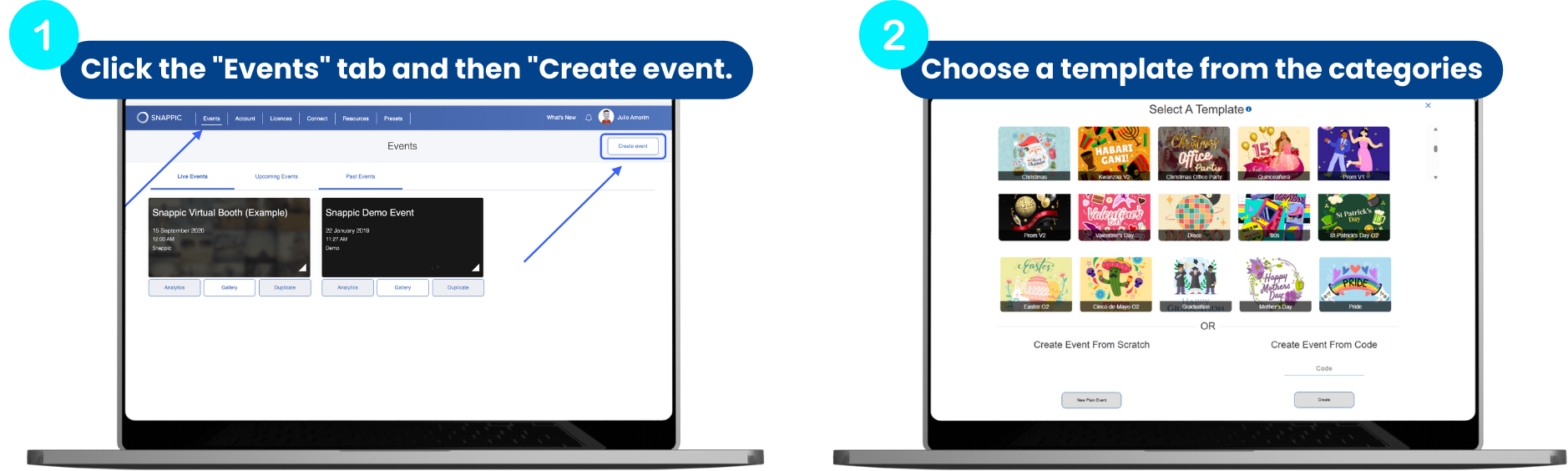
Open the dashboard, click Create Event, and choose a template from the category pop-up. Snappic instantly generates a complete event with:
- Custom app experience buttons
- Branded overlays
- Matched digital props
This means you start with a professional layout that already matches the seasonal theme, saving time and reducing setup errors. These fall photo booth templates help deliver a polished experience from the very first test shot.
Customise graphics to match the client’s brand
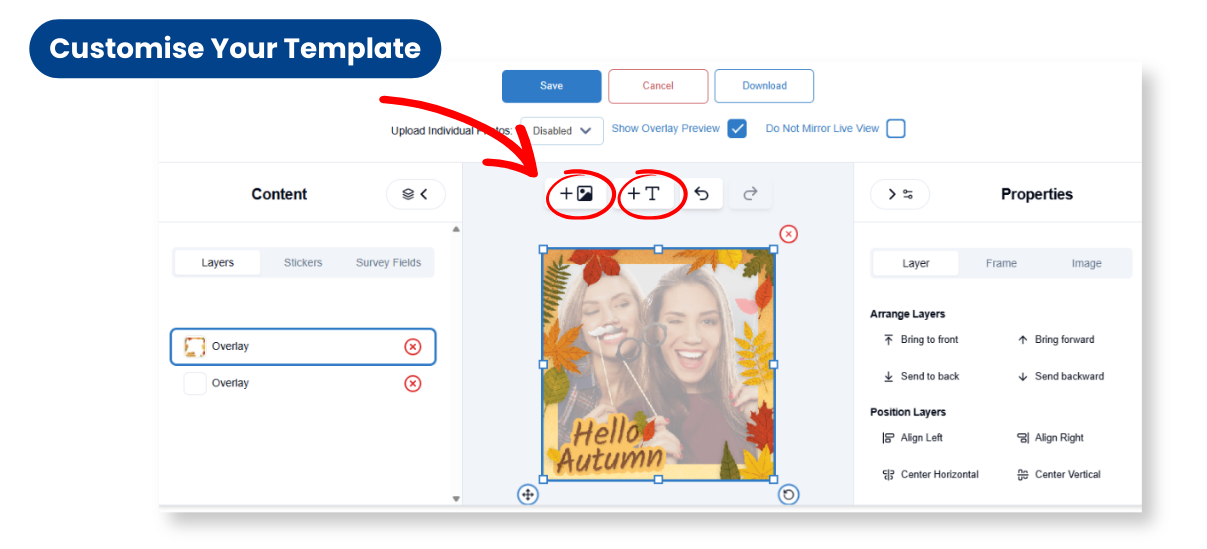
Inside Template Designer, it’s easy to personalise the design:
- Drop in the client’s logo
- Add fall and seasonal artwork
- Style fonts and colours
- Adjust layers for clean layouts
You can also apply branded overlays across Still, GIF and Burst modes to keep designs consistent across every capture format. This makes your fall event packages feel premium and professionally crafted.
Show live previews for a polished guest experience
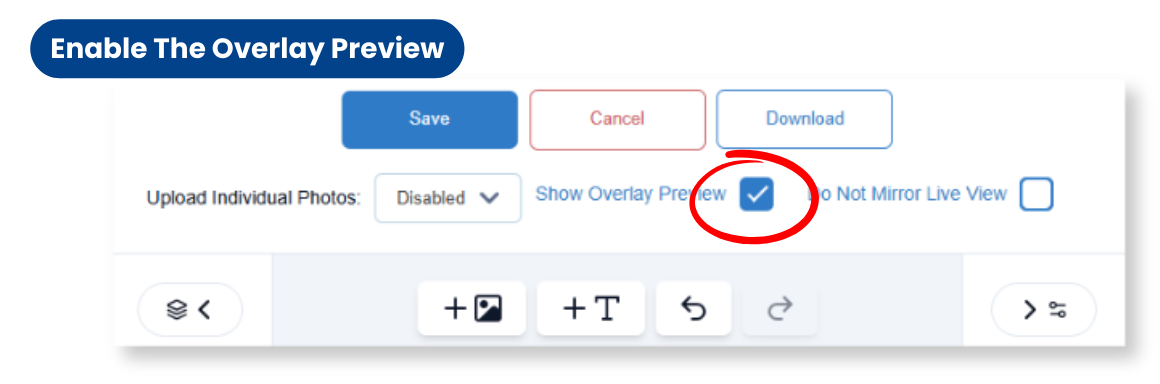
Turn on Overlay Preview to display the live frame directly on the booth screen before the photo is taken.
For iPad experiences, upload custom preview images for Still and GIF, then assign a preview pack to your event. This gives guests confidence in their selection and highlights your fall wedding and seasonal booth designs before they step in.
Get faster client approvals
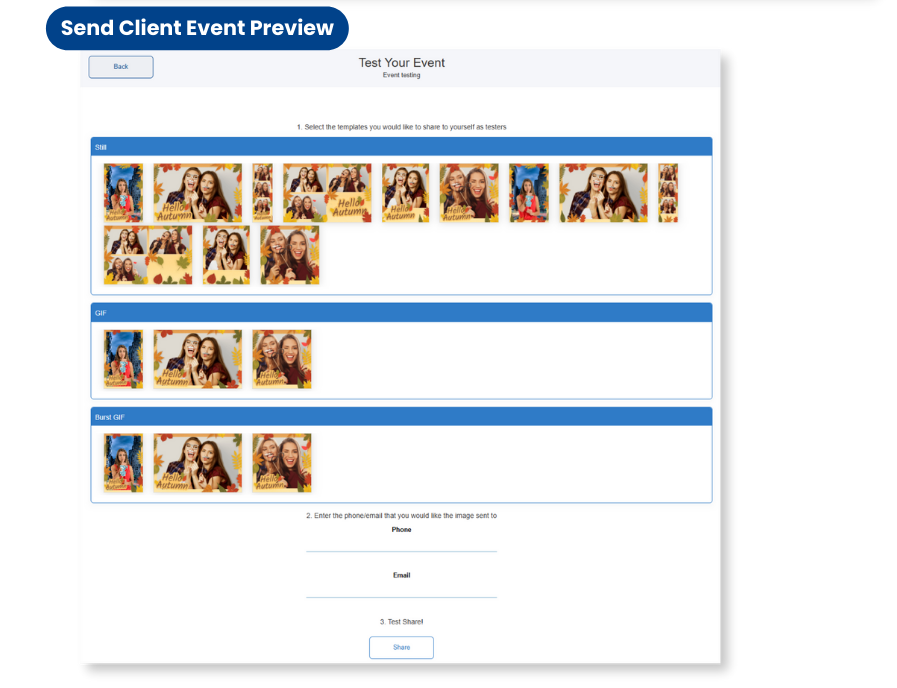
Use Snappic’s built-in testing workflow to send preview captures to clients:
- Send test Still, GIF and Burst outputs
- Allow feedback before event day
- Make changes early to avoid last-minute stress
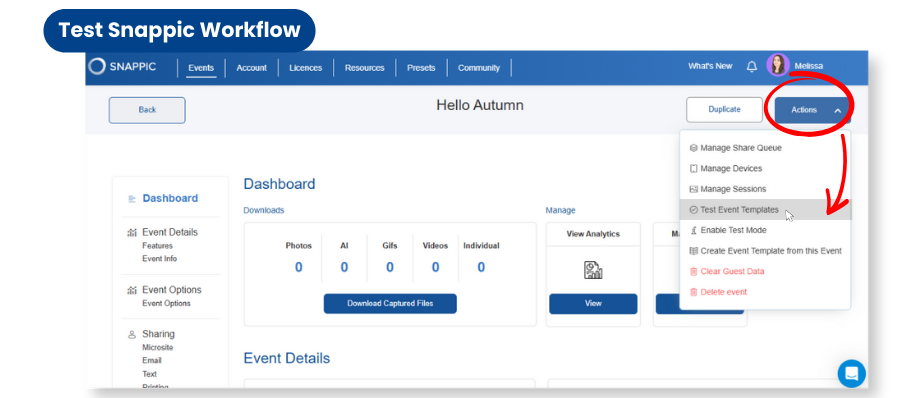
To test your event templates:
- How to send test templates
- Open the Actions tab
- Select Test Event Templates
- Choose the templates you would like to share with your client.
- Enter an email or phone number
- Tap Share
This speeds up approvals and keeps projects moving smoothly.
Let guests choose their experience before they arrive
With QR contactless booths, guests can choose their overlay and experience via a branded Microsite before stepping up.
This helps:
- Reduce queues
- Improve guest flow
- Showcase your fall design options
- Save staff time onsite
Why this improves bookings
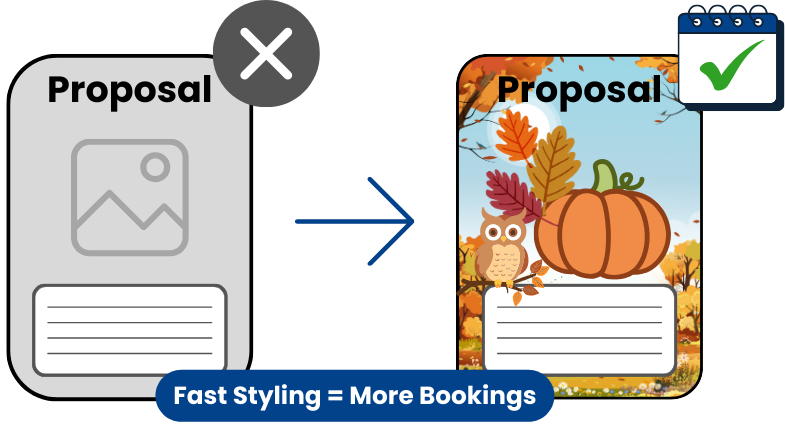
Fast setup wins work. Operators who can launch polished seasonal designs quickly can handle more bookings and deliver better-looking proposals.
Using pre-made templates plus custom branding allows you to offer boutique-style photo booth experiences on tight timelines, which increases booking confidence and conversion rates.
Save and reuse fall setups for future events
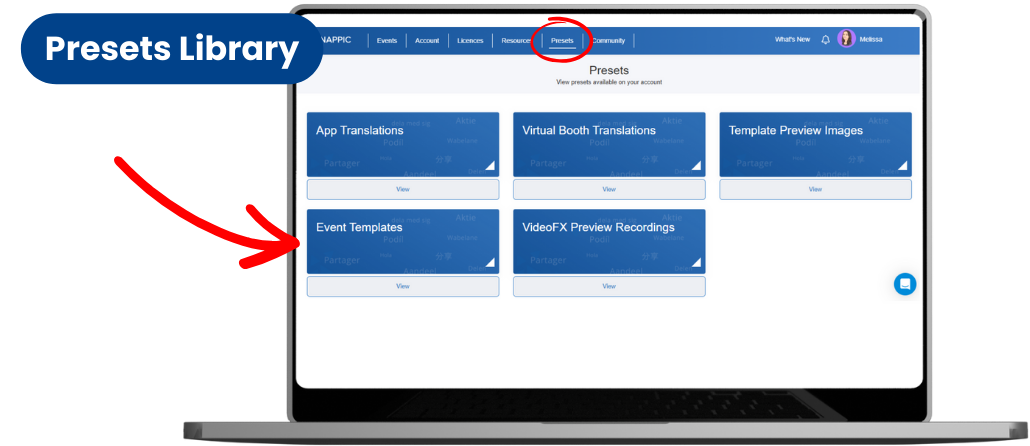
Once an event is perfected, save it as a reusable template.
You can manage all saved projects in your Presets tab, creating a personal library of ready-to-launch fall setups.
This allows you to scale your business without repeating the same setup work again and again.
Launch faster, book more
With Snappic’s workflow, you spend less time building templates and more time securing bookings.
For a step-by-step guide on setting up event templates, visit Snappic’s help article here!
Start your free 14-day trial today!
FAQs
1. What are Snappic’s pre made event templates?
Snappic’s pre made event templates are ready to use layouts with buttons, overlays and digital props that build a complete photo booth event in one click.
2. How do I customize a fall template for my client?
Open Template Designer, add the client logo, drop in seasonal artwork, adjust the text and save so the entire fall look is on brand.
3. Can I preview my fall overlays before the event?
Yes. Enable overlay preview and upload custom preview images so guests see the frame and style on screen before they capture.
4. How do I get client approval on my event graphics?
Use Snappic’s Test event templates workflow to send sample Still, GIF and Burst captures so clients can review and approve before event day.
5. Can I reuse my fall event setup for future bookings?
Yes. Save the finished event as your own template and manage it in the Presets tab so you can quickly reuse the same fall setup.
More from Melissa

Previous Post
AirCastPro Not Working with Snappic? Here’s How to Fix It
Are you experiencing issues printing with AirCastPro at your photo booth events? You’re not alone. This is currently one of the most frequently asked questions in the Snappic community, and we’re here to help.
Next Post
How to Use AI Photo Effects to Boost Bookings at Fall Events
Boost bookings this fall by turning simple photo booth captures into stunning seasonal visuals with Snappic’s AI-FX suite. Learn how to select the right AI filters, create client-ready packages, streamline on-site workflows, and deliver shareable, branded content that keeps guests and clients delighted.