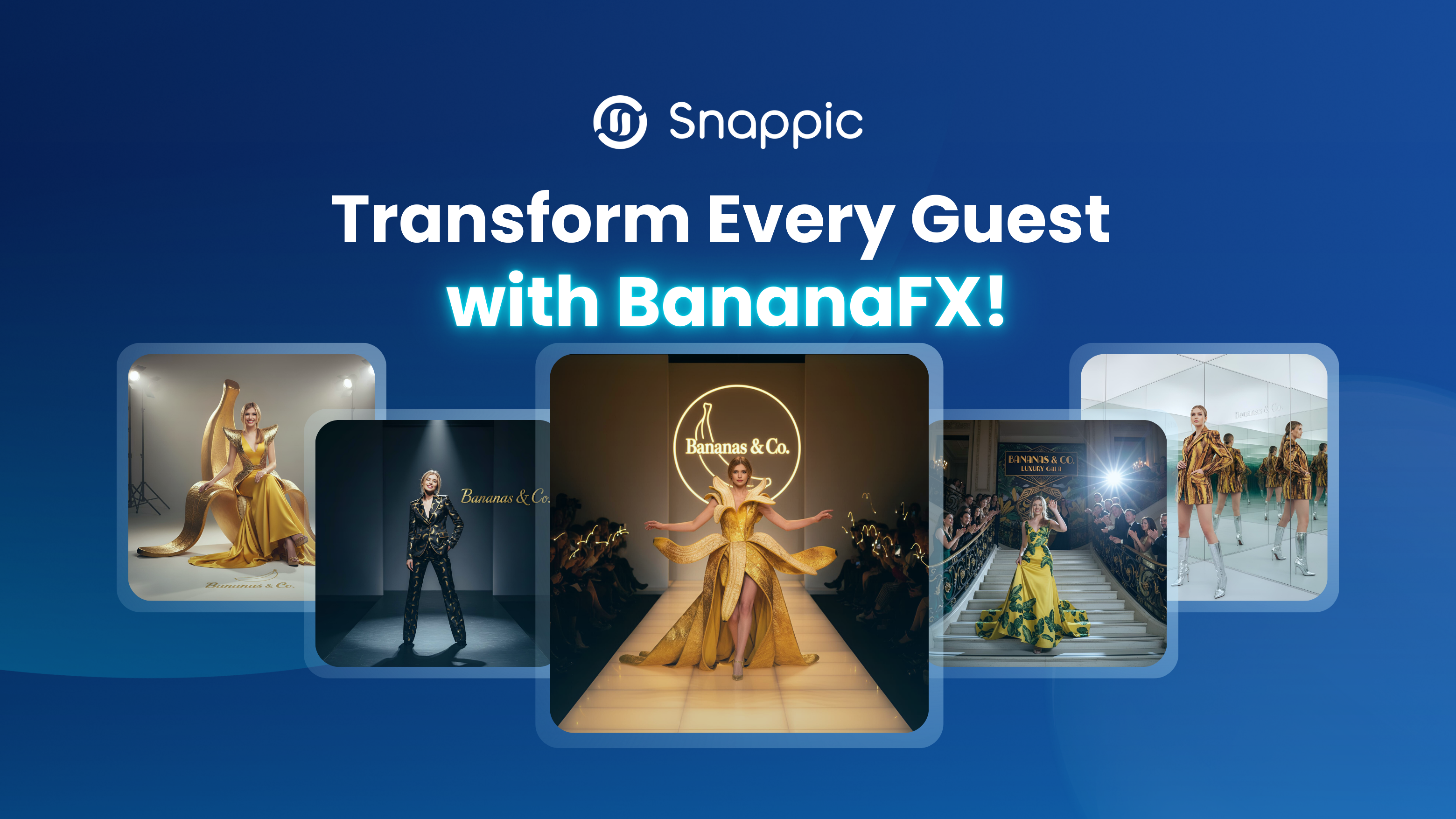
BananaFX: AI Photo Booth Filter for Events
Snappic’s BananaFX uses powerful AI to create photorealistic, stylized, or branded transformations at events. Learn how it works, how to enable it, and tips for perfect prompts.

November 12, 2025
The Snappic team is passionate about creating unforgettable photo booth experiences.
BananaFX: Snappic’s New AI Effect That Turns Every Guest Into the Star
AI photo booths are taking events by storm, and Snappic’s new BananaFX filters will make your booth an unforgettable experience. BananaFX harnesses advanced AI to create quick outfit swaps and stylized transformations at the press of a button. In this blog we’ll break down how BananaFX works, how to enable it in your Snappic dashboard, tips for crafting prompts and posing, and why Snappic is the ultimate platform for photo booth owners who love cutting‑edge AI.
Want to see BananaFX Pro in action? Watch this short walkthrough showing how Snappic’s smartest AI photo booth filter transforms guests using prompts, poses, and reference images.
What is BananaFX?
BananaFX is a cloud‑rendered AI filter powered by Google’s NanoBanana (Gemini 2.5) model. It transforms the guest’s original photo into a new image based on your custom prompt. The resulting images are rendered quickly in the cloud and sent back to the booth gallery so that guests receive their photos by email or SMS/Text. Because rendering happens on an external service, processing speeds can vary, but BananaFX still delivers faster output than many other AI filters.
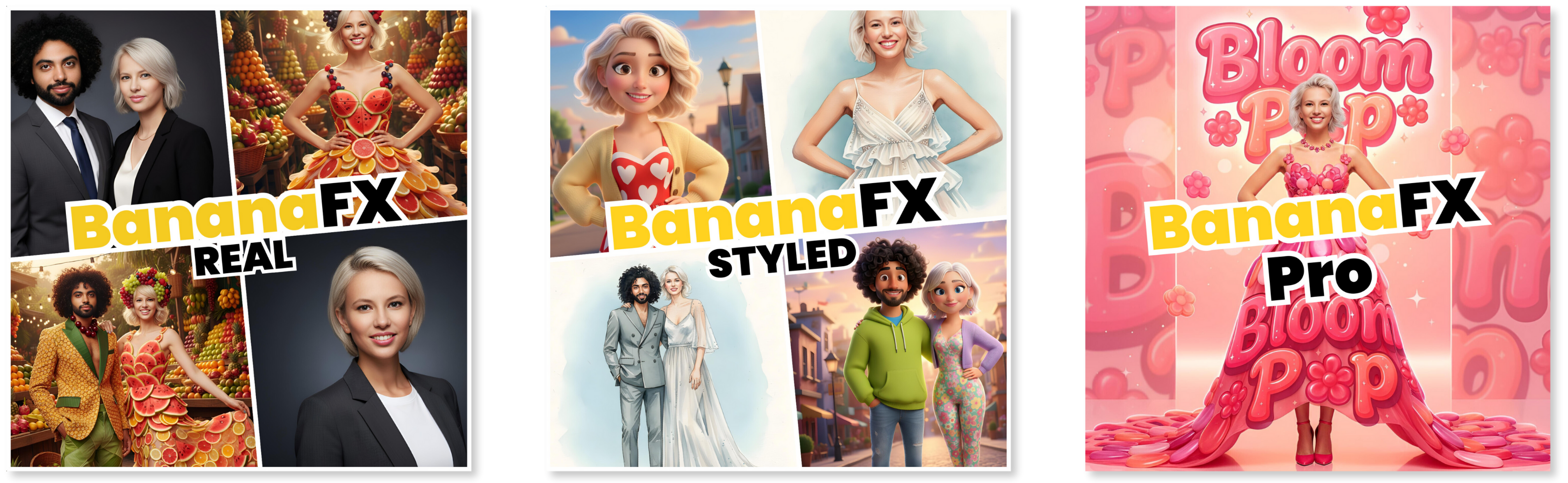
Three distinct modes give you flexibility:
- BananaFX Real – produces photorealistic transformations and is suitable for headshots or small groups of 2-3 people.
- BananaFX Styled – generates stylized, illustrated results such as 3D or watercolor portraits; this mode is recommended for single‑person photos.
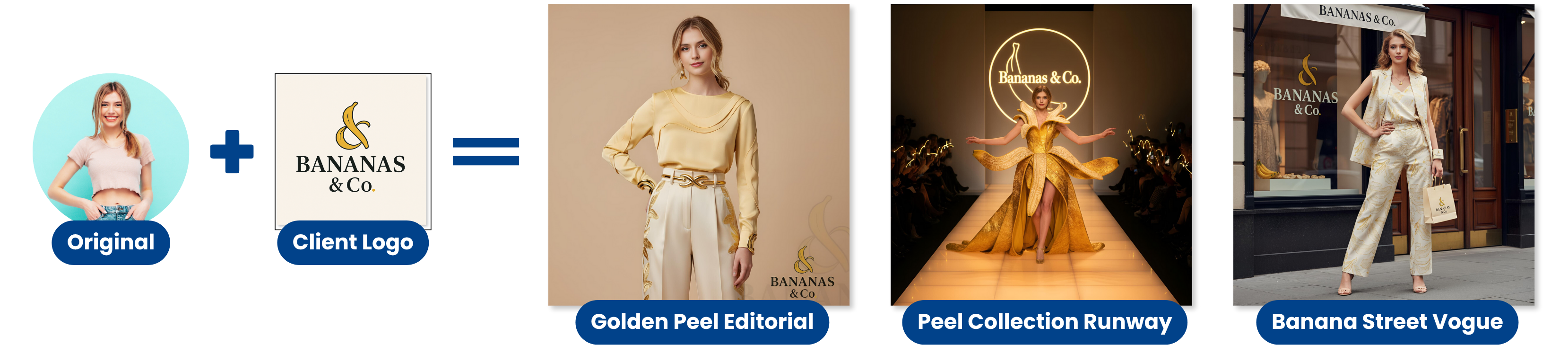
- BananaFX Pro - Can upload a reference image. This reference image can be used to add specific content or elements to the output image. It can be as simple as a logo that gets incorporated into the final image, or it can serve as a full layout or branding template, allowing the AI to closely match the style and composition of the reference image. This is similar to the PersonaFX Pro Real.
BananaFX Real vs. Styled vs. Pro real
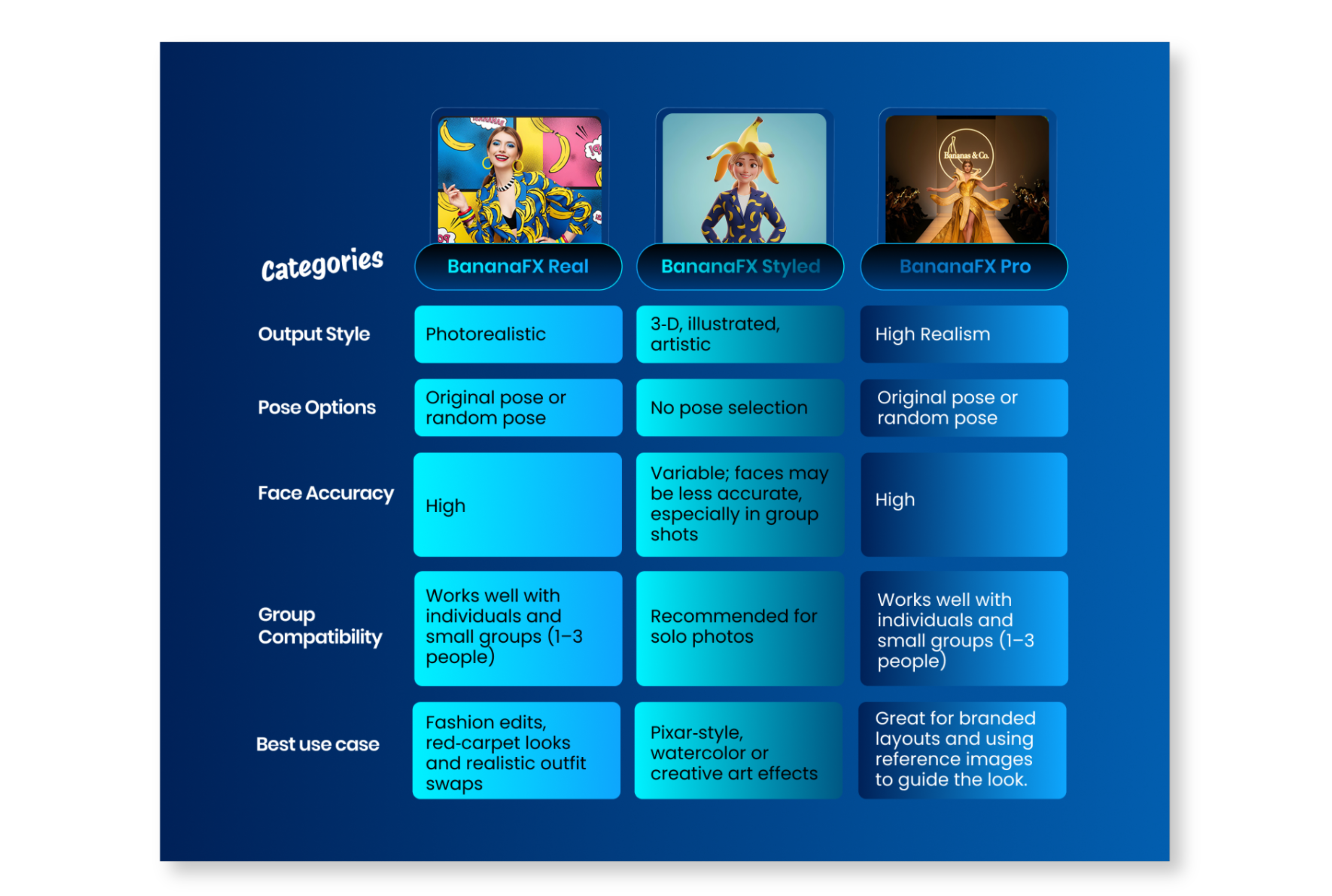
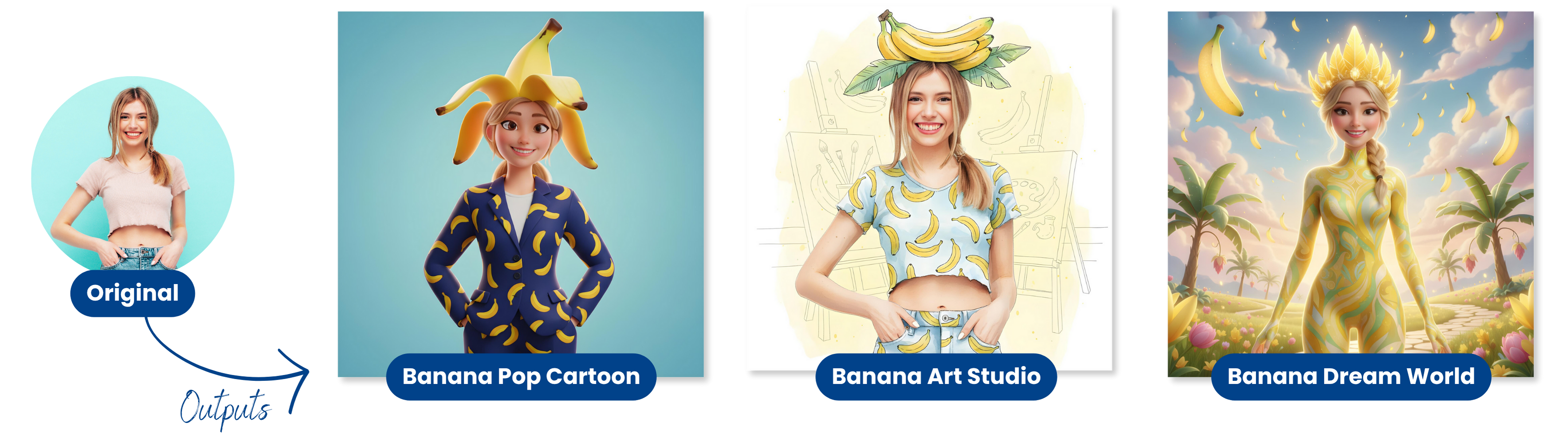
Choosing between the Real, Styled, and Pro modes affects the final look, who it’s best for, and how the AI interprets poses. The table below summarizes the key differences, while the images beneath it illustrate the contrast between a realistic and a stylized effect.
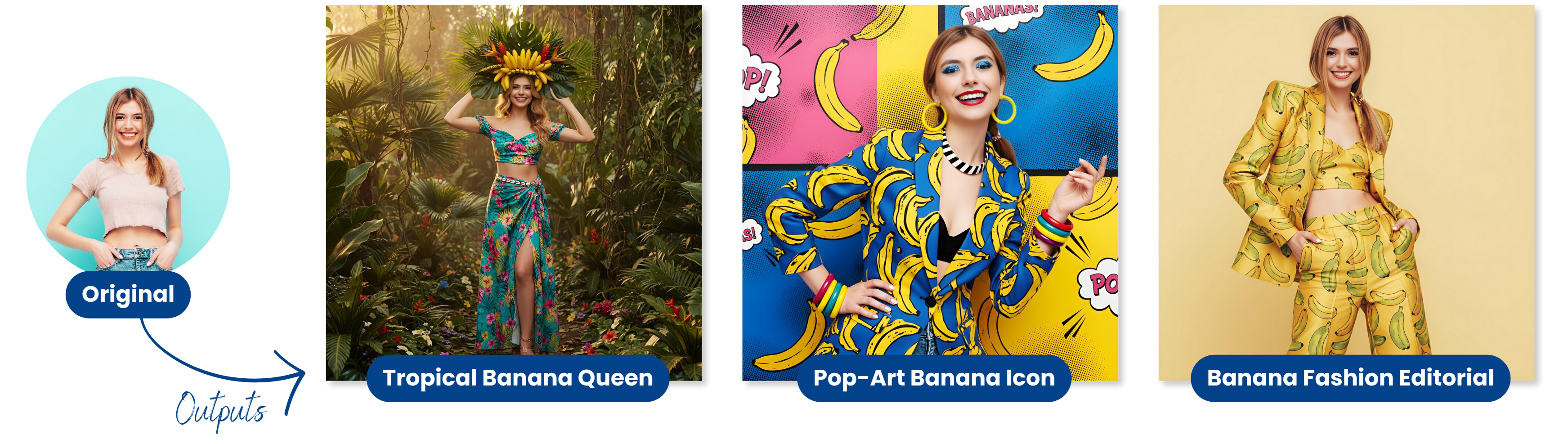
Visual comparison
The example images below illustrate the difference between a photorealistic BananaFX Real transformation, a stylized BananaFX Styled, and a branded BananaFX Pro result.
BananaFX Real
BananaFX Styled
BananaFX Pro Real
The realistic version preserves natural facial details and resembles a fashion editorial, while the styled version adopts a playful, cartoon‑like aesthetic, perfect for clients who want something artistic and fun.
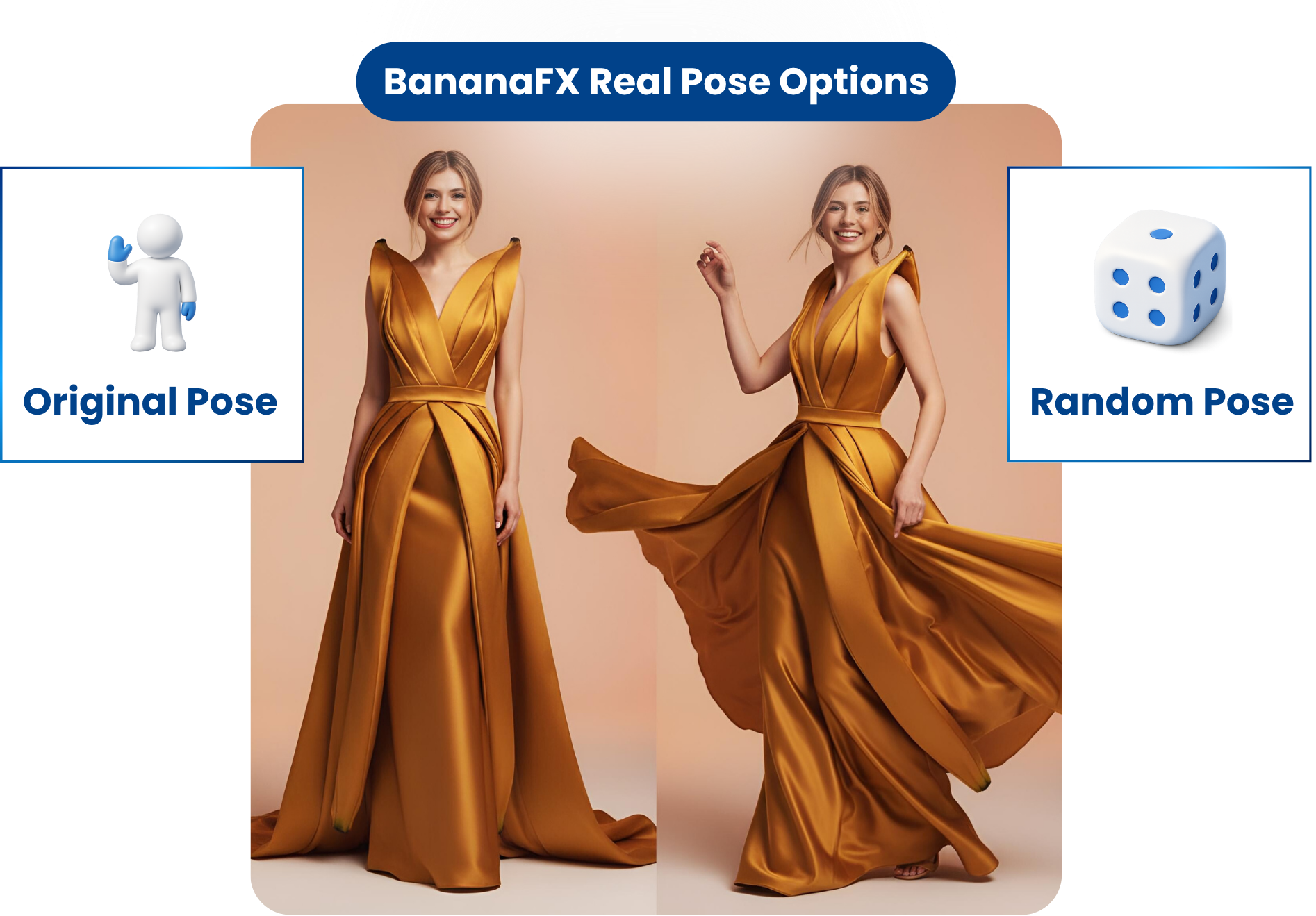
Pose Options: Original vs. Random
BananaFX real offers two pose modes to suit different creative visions:
- Original Pose – The AI keeps the guest’s natural pose. Choose this when you want realistic outfit swaps or when the existing pose fits your scene.
- Random Pose – The AI generates a new pose for a more dynamic transformation. Random poses are recommended for both Real and Pro Real modes, particularly when you want variety and energy in your outputs.
Regardless of which mode you choose, you can enable the survey option in Snappic to capture guest names or other details and insert them into your AI prompts.
Setting Up BananaFX in Snappic:
Enabling BananaFX is straightforward. Follow these steps from your Snappic dashboard:
- Enable AI Experience: Go to the Features tab and turn on AI Experience, it will re-direct you to the AI experience settings.
- Add AI Filter: Navigate to your event’s AI Experience section. Click + Add AI Filter and choose either BananaFX Real or BananaFX Styled or BananaFX Pro Real
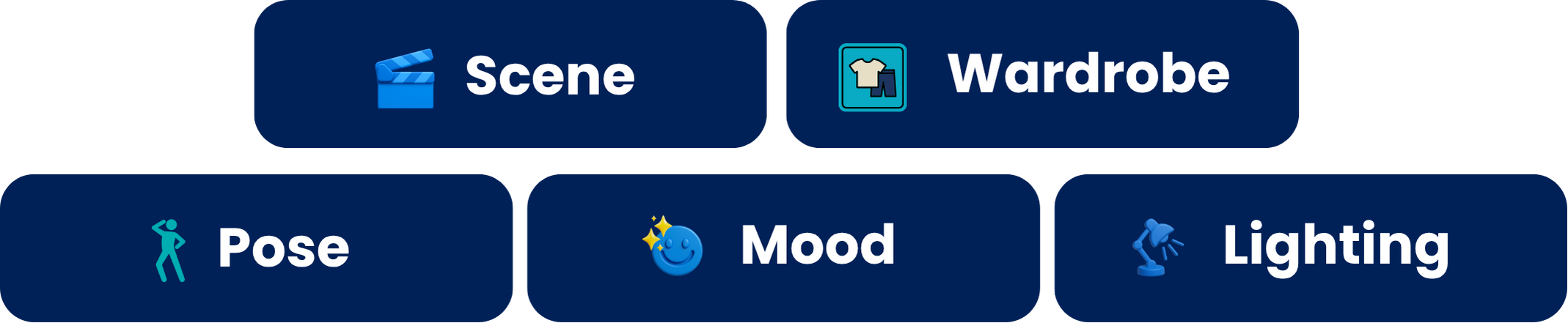
- Edit your prompt: Click Edit and type a descriptive prompt in the field provided. Strong prompts should describe wardrobe, environment, lighting and mood (see tips below).
- Select pose options: Choose between Original (keeps the guest’s pose) and Random (AI generates a new pose).
- Choose a template: Select a template and add the AI filter to it by clicking AI Filters.
- Optional: Enable surveys: Under Event Options, toggle the survey option if you want to collect names or other custom information for use in your prompts.
Once saved, BananaFX will automatically render new images and deliver them to guests via email or SMS.
Crafting Strong Prompts
A well‑written prompt is the key to high‑quality AI outputs. Think of it as your art direction: the more specific and consistent your instructions, the better the results. Snappic recommends that you:
- Describe everything: Include details about scene, wardrobe, pose, background, facial expression, lighting and camera angle.
- Use inclusive language: Write prompts that apply to individuals or groups (e.g. “the subject or subjects” rather than “the guest”).
- Include gendered styling: When relevant, provide both male and female wardrobe descriptions.
- Choose a style: Suggest editorial, cinematic or fashion photography vibes to anchor the AI’s visual style.
- Follow a structure: Begin with context (e.g. “the subjects are transformed into…”), then describe wardrobe, environment, lighting and mood.
Please Note: Testing prompts before going live is crucial; minor changes can dramatically alter the output. Snappic even provides a sample structure to help you get started:
The subject or subjects in the input image are transformed into [new identity or theme]. They are posed [pose description] and dressed in [outfit details]. The background is [scene description], and the lighting is [lighting style]. The final image feels [tone, mood or quality].
Best Practices & Final Tips
BananaFX is powerful, but following best practices helps ensure consistent results:
- Use BananaFX Real for groups of up to three people and when you want realistic fashion edits or red‑carpet looks.
- Reserve BananaFX Styled for single‑person shots and highly stylized art effects.
- BananaFX Pro Real for branded activations, perfect for your corporate clients brand activations.
- Opt for random poses to give the AI freedom to create dynamic compositions.
- Provide clean, well‑lit photos; ask guests to face forward and avoid wild poses. Good lighting and a plain backdrop improve AI rendering.
- Test your prompts before each event and adjust as needed.
- Have fun with themes: BananaFX works great for Barbie, red carpet or race‑car driver themes.
- Leverage the survey option to personalize outputs with guests’ names or preferences.
By following these practices, you’ll maximize the quality and consistency of your AI‑generated photos.
Why Snappic Is the Ultimate AI Photo Booth Solution
BananaFX is just one of many tools inside Snappic’s expanding AI ecosystem.
Snappic recently introduced six new AI-FX filters, including:
- FaceSwap 2.0
- PersonaFX (Real, Pro Real & Styled)
- ClassicFX (formerly Custom Prompt 2.0)
- Selective Swap
- Group AI
These deliver better likeness, creative avatars, enhanced customization, and reliable group outputs—giving operators more flexibility and more premium upsell opportunities.
Snappic also stands apart with 24/7 support, helping you troubleshoot, test, refine prompts, or explore new creative workflows anytime. Plus, Snappic’s development team continues to improve and innovate, ensuring your photo booth stays ahead of industry trends.
Final Thoughts
BananaFX brings high-end AI magic to your photo booth, transforming ordinary photos into striking editorial visuals or playful stylized portraits. With its photorealistic and artistic modes, flexible pose options, and fast cloud rendering, every guest leaves with a share-worthy image.
Combined with Snappic’s full suite of AI-FX filters, ongoing innovation, and round-the-clock support, BananaFX shows why Snappic remains the leading AI photo booth software for event professionals.
Ready to elevate your next event?
Log into your Snappic dashboard, enable BananaFX, and start creating AI-enhanced memories today.
🎉 Try Snappic free for 14 days, no credit card required.
Free trial
FAQs
Q1: What is BananaFX in Snappic?
A: BananaFX is Snappic’s cloud-rendered AI photo booth filter that uses Google’s NanoBanana (Gemini 2.5) to create photorealistic, stylized, or branded transformations using custom prompts.
Q2: What is the difference between BananaFX Real, Styled, and Pro?
A: Real creates lifelike transformations and works for 1–3 guests. Styled produces artistic, illustrated looks for single subjects. Pro allows reference images for branded or layout-specific outputs.
Q3: How do I enable BananaFX in Snappic?
A: From your dashboard, turn on AI Experience → Add AI Filter → choose BananaFX Real, Styled, or Pro → edit your prompt → select pose mode → apply to a template.
Q4: How do pose options affect the final image?
A: Original Pose keeps the guest’s real stance for realistic results. Random Pose generates a dynamic new pose, ideal for more creative or branded outputs.
Q5: How can photo booth owners get better AI results?
A: Use clear, well-lit photos, include detailed prompts (wardrobe, lighting, mood), test before events, and use Random Pose for more dynamic BananaFX outputs
More from Melissa
Previous Post
Halloween Photo Booth Software: AI & 360 Tools
Boost Halloween bookings with Snappic! AI effects, 360 video booths, overlays, and viral sharing make your photo booth spooky and shareable.
Next Post
What PBX & WPPI 2026 Reveal About Event Photography
See how PBX 2026 and WPPI 2026 reshape event photography. Spot trends in photo booth software, roaming photography, and hybrid event experiences.