What Five Years of Photo Booth Support Taught Matthew
Learn practical photo booth support and troubleshooting tips from Matthew, including camera setup, printing issues, AI-FX problems and event-day preparation.

August 13, 2026
The Snappic team is passionate about creating unforgettable photo booth experiences.
It's forty minutes before an event. Guests are arriving, the camera was working an hour ago, and now the Snappic app can't detect it.
Situations like this are exactly why operators reach out to Snappic support.
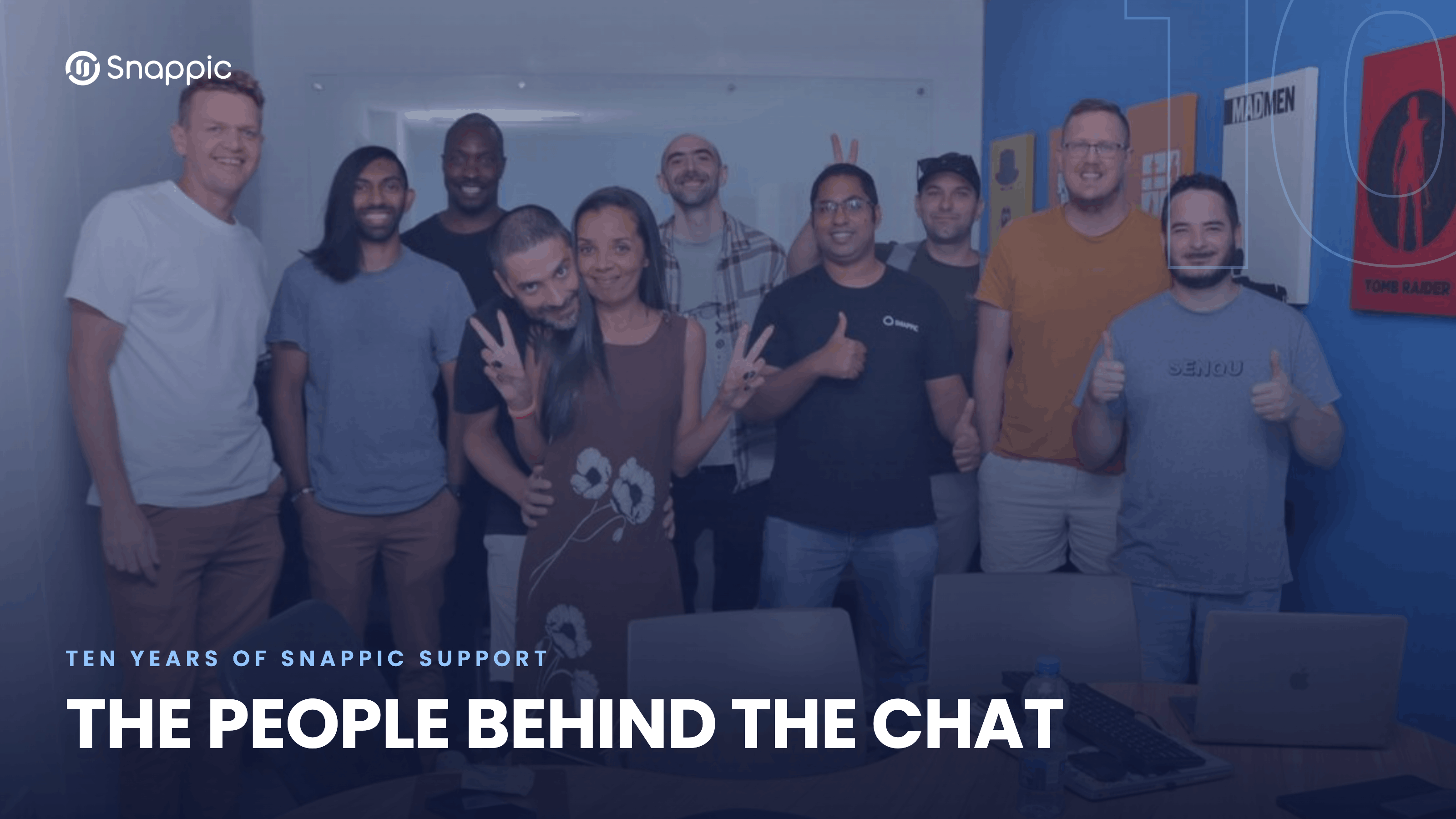
Matthew Fernandez, one of Snappic's Senior Customer Support Associate, has spent the last five years helping photo booth operators troubleshoot DSLR cameras, resolve printing issues, and get events back on track.
We asked him what issues come up most often, what separates smooth recoveries from stressful ones, and what he's learned from thousands of photo booth support conversations.
What Do Operators Actually Ask Support About Before an Event?
The five most common issues Matthew sees, and why most of them have a faster fix than you'd expect.
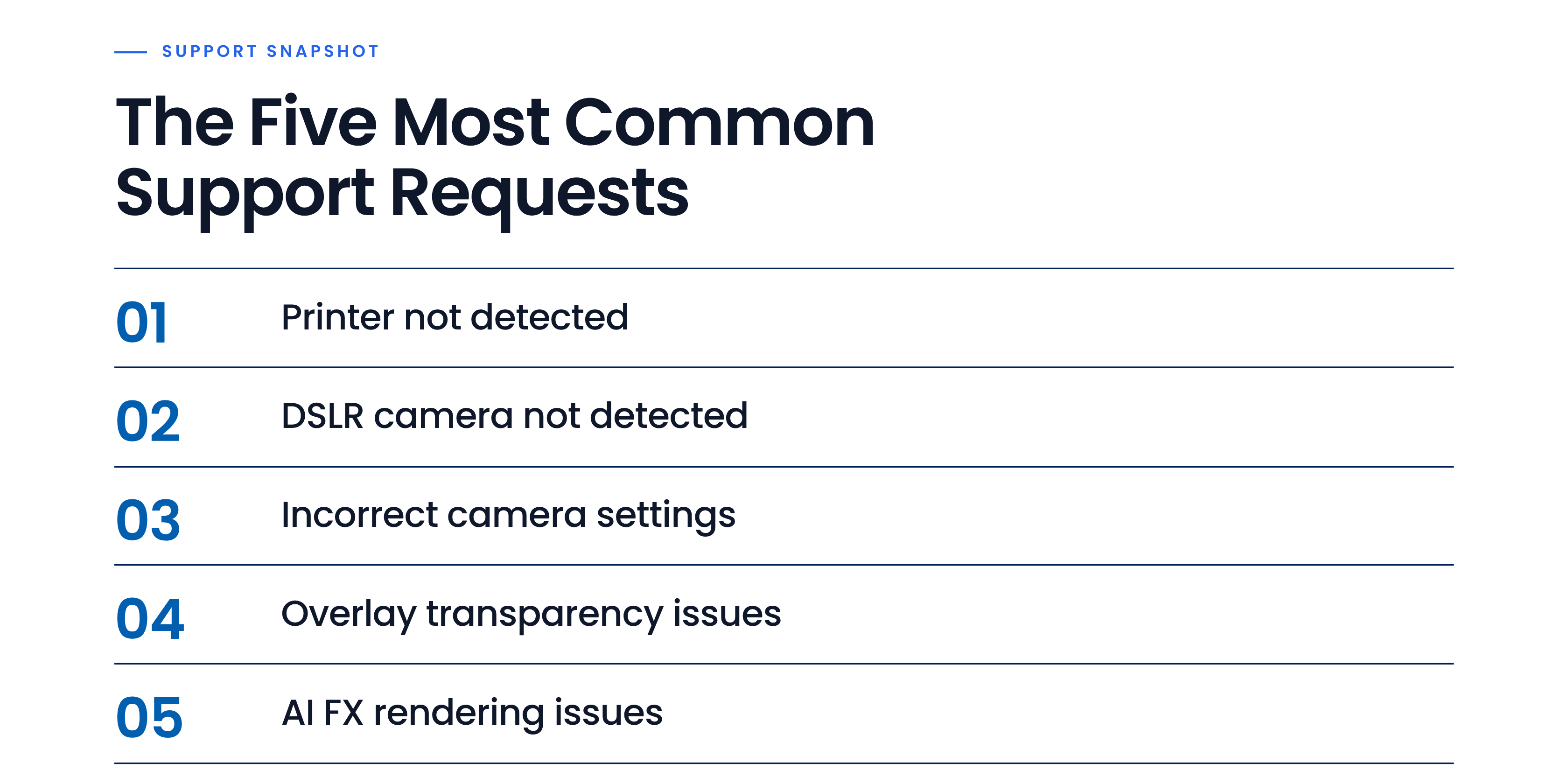
"If it's a setting that's incorrectly applied, I can resolve it relatively quickly,” shares Matthew. “Printing issues can also be resolved within minutes, as the same issues come up. If it's more technical or outside the ordinary, I need the team's feedback."
My Camera Isn't Being Detected. Now What?
Here’s Matthew's step-by-step process for the most common DSLR support call.
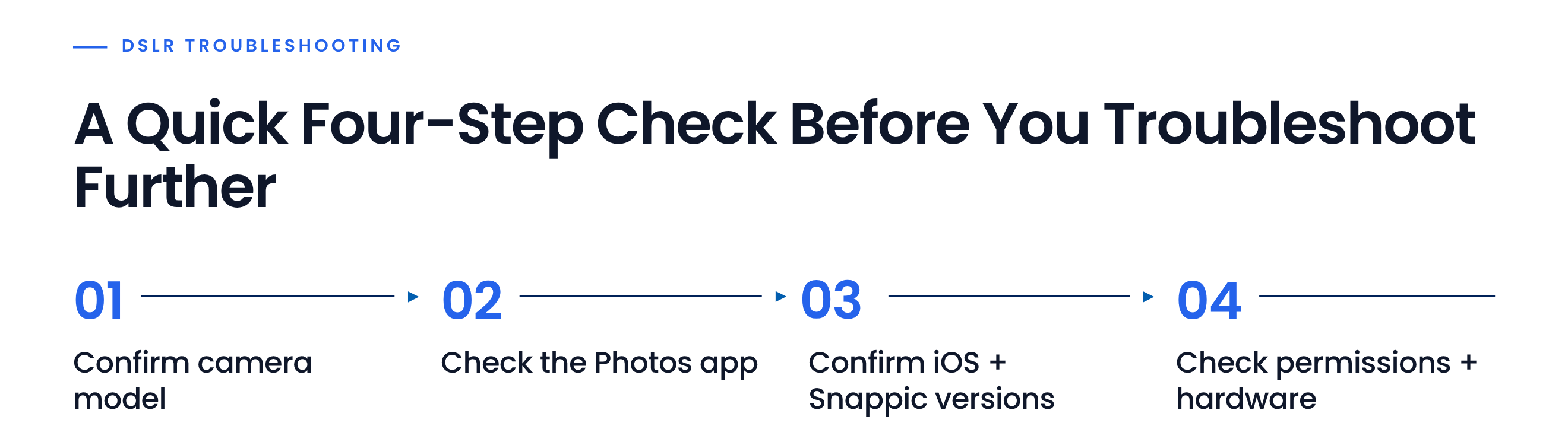
Camera detection issues are among the most common photo booth troubleshooting requests the Snappic support team receives. Matthew has a sequence he works through every time:
1. Confirm the camera model or device being used for photo capture. Canon, Nikon, and Sony each have a different starting point, and some older bodies aren't supported. Checking the model first avoids troubleshooting something that won't connect regardless.
2. Check the Photos app on the iPad. If the iPad's native Photos app can't see the camera either, the issue is almost always the cable, not the software. A cable can work perfectly for multiple events and then suddenly stop transferring data.
3. Confirm iOS and Snappic app versions. While the operator checks the Photos app, Matthew verifies that both the operating system and the Snappic app are up to date.
4. Work through permissions and hardware. From there: iOS permission settings (Settings > Snappic > Camera and Files), camera firmware, SD card inserted and formatted, and battery status.
If the situation is urgent, Matthew can use AnyDesk to remotely access the operator's device and troubleshoot the setup directly.
His single biggest piece of advice for operators heading to their first DSLR event?
"Have more than one cable at the event. A cable can work for several events, but they're fickle,” advises Matthew.
-> Full DSLR troubleshooting guide - Snappic Help Center
-> DSLR camera settings guide - Snappic Help Center
What Separates Operators Who Recover Quickly from Those Who Don't?
It's not a technical skill. It's communication.
When asked what separates operators who recover quickly from those who don't, Matthew says it usually has very little to do with technical knowledge.
"Humans are generally understanding. If a user tells their client there's an issue and it's being resolved, the room settles,” he says.

The operators who recover fastest tend to do three things: they explain the issue to their client honestly, they stay calm while Matthew works through the diagnostic, and they answer his questions clearly. No bluffing, no panic, just clear communication.
And that insight applies well beyond support calls. At any live event, the photo booth operator who communicates openly with their client when something goes sideways will almost always come out of it with their client relationship intact, and in most cases stronger. Guests and clients can usually tell when someone is calmly managing a situation, even if the technology hasn't caught up yet.
Five Years of Watching Operators Grow
This is the part of photo booth support that doesn't show up in a support chat.
With over five years of providing photo booth support, Matthew has seen a pattern repeat itself.
Many operators start with a single setup, a handful of bookings, and plenty of questions. Their first support conversations are often about connecting a DSLR camera, troubleshooting a printer, or preparing for an upcoming event.
A few years later, some of those same operators are running multiple booths, expanding their teams, and adding licenses as their businesses grow.
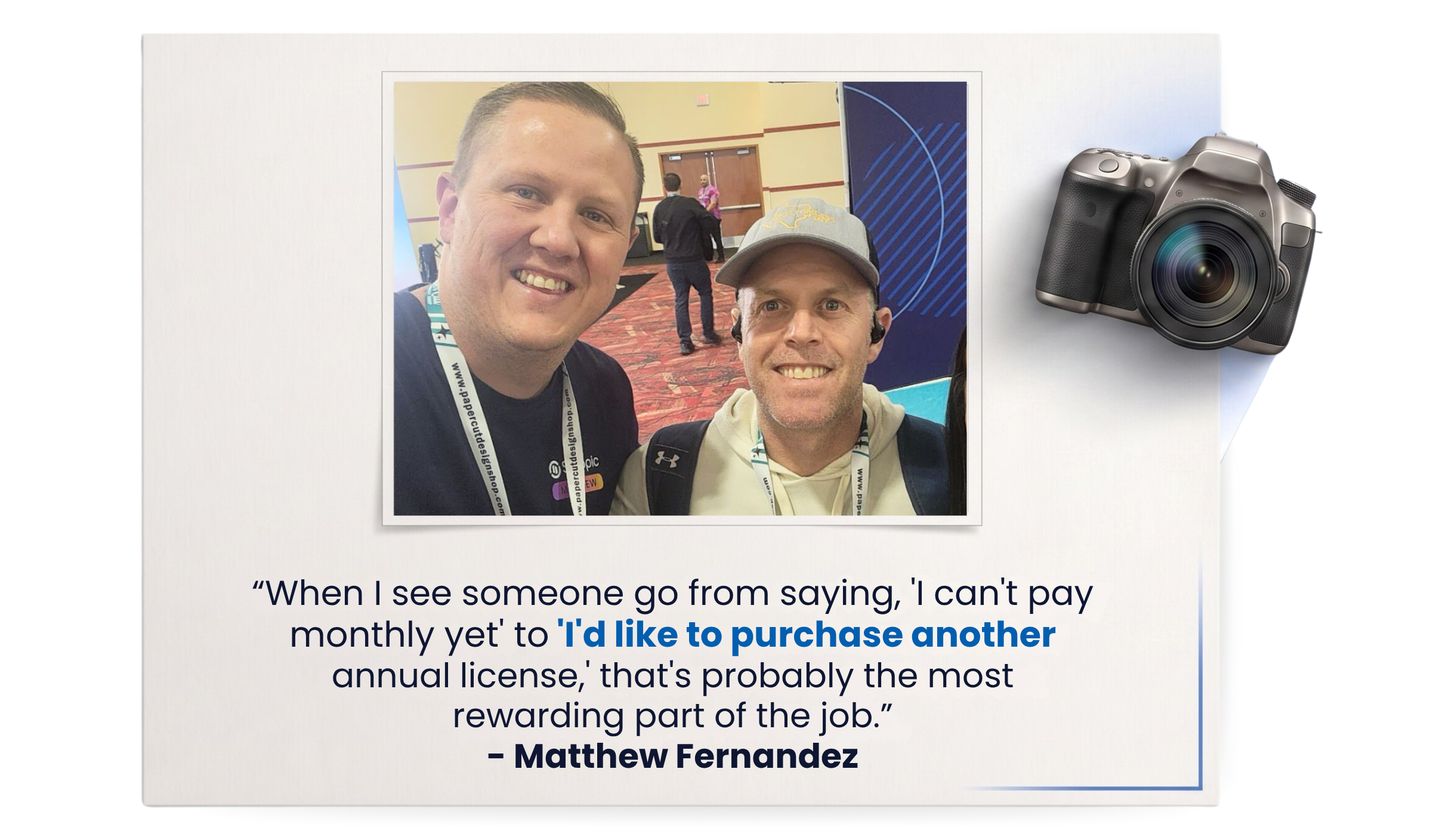
"When I see someone go from saying, 'I can't pay monthly yet' to 'I'd like to purchase another annual license,' that's probably the most rewarding part of the job," says Matthew.
It's a reminder that support isn't just about solving technical issues. Sometimes it's about helping operators build confidence. The camera connects, the printer works, the event goes smoothly, and over time those small wins add up.
After thousands of support conversations, Matthew has had a front-row seat to the growth of photo booth businesses at every stage, from first-time operators running their first DSLR event to established companies scaling their operations.
Tips from Matthew: What Every Operator Should Know
Practical advice from five years of helping operators navigate live-event challenges.
After five years of helping operators through live-event challenges, Matthew has noticed that the same habits consistently lead to smoother events and faster recoveries.
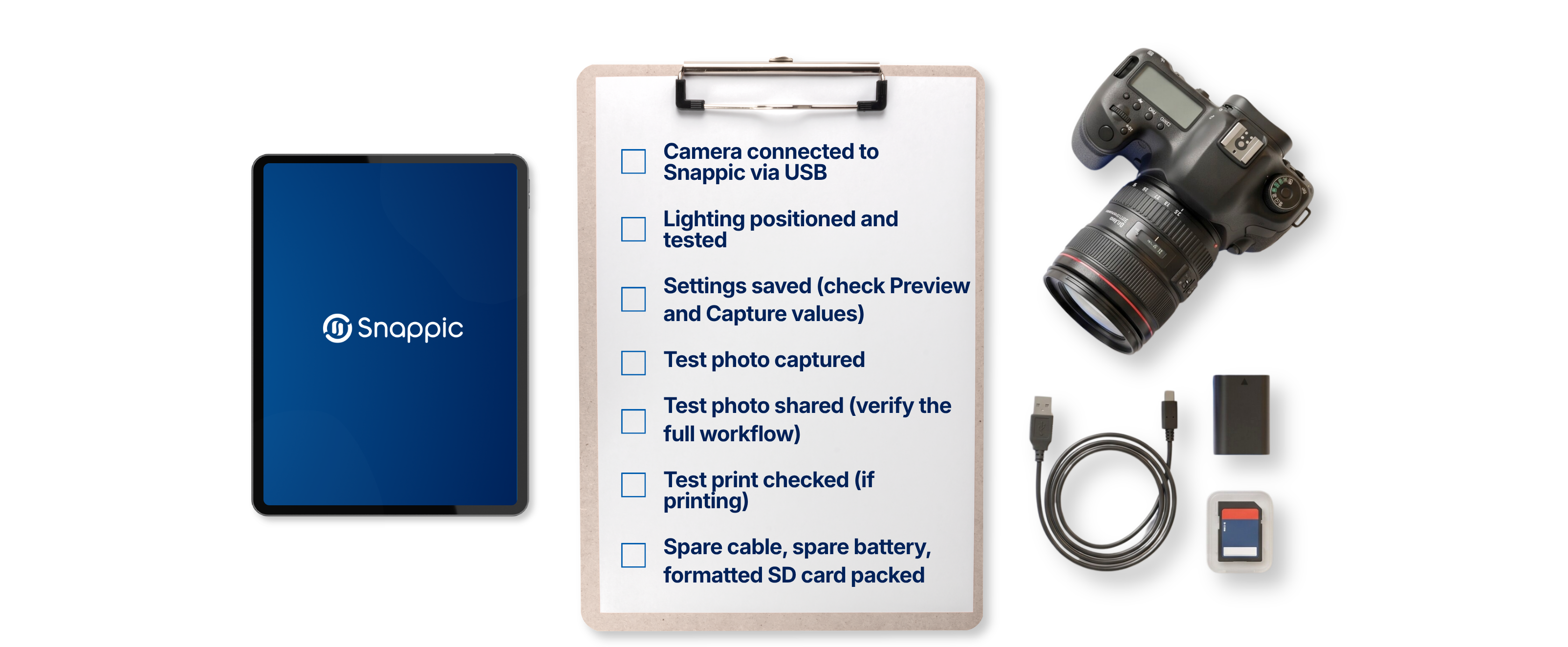
Bring a backup USB cable.
If your camera suddenly isn't being detected, the cable is often the culprit. Even cables that have worked perfectly for multiple events can stop transferring data without warning. Always carry at least one spare.
Check your setup before your event starts.
Don't wait until guests arrive to test your camera, printer, and sharing workflows. A quick pre-event check gives you time to spot and fix issues before they affect the guest experience.
Use Manual mode on your DSLR.
Many camera settings won't respond correctly if your camera is set to Auto mode. Before connecting to Snappic, make sure your camera is configured according to the recommended settings for your model.
Format your SD card before every event.
For DSLR tethering to work properly, your camera needs a functioning, write-enabled SD card. Formatting the card before each event helps prevent unexpected issues.
Make the Help Center part of your event prep.
Whether you're setting up a new camera or troubleshooting a connection issue, the Snappic Help Center contains step-by-step guides covering compatibility, camera settings, tethering, printing, and more.
Communicate early if something goes wrong.
Technical issues can happen at any live event. The operators who recover fastest are usually the ones who stay calm, communicate clearly with their client, and work through the issue methodically. Most problems can be resolved much faster than you'd expect.
Frequently Asked Questions
What should I check first if Snappic isn't detecting my DSLR camera?
Start by confirming that your camera model is supported and that the camera is connected correctly. Matthew also recommends checking whether the iPad's native Photos app can detect the camera, as this can help determine whether the issue is with the cable or the software.
Why is my camera suddenly not being detected when it worked before?
A cable can sometimes stop transferring data even after working perfectly for multiple events. That's why Matthew recommends always carrying a spare USB cable to your events.
What camera mode should I use with Snappic?
Matthew recommends using Manual mode on your DSLR and configuring the camera according to the recommended settings for your specific model.
What should I do before a photo booth event starts?
Run through your camera, printer and sharing workflows before guests arrive. Matthew recommends testing your setup ahead of time, formatting your SD card, carrying backup equipment and making sure you're prepared before the event begins.
Where can I find help if I run into a technical issue?
The Snappic Help Center contains step-by-step guides covering camera compatibility, camera settings, tethering, printing and other common troubleshooting issues.
What should I do if something goes wrong during an event?
Stay calm, communicate clearly with your client and work through the issue methodically. Matthew's experience shows that operators who communicate early and honestly tend to recover more smoothly when something unexpected happens.
More from Melissa

Previous Post
Snappic + TalleFlow: Photo Booth Business Management
Streamline photo booth bookings with Snappic + TalleFlow. See how photo booth business software automates workflows, CRM, and client management.
Next Post
AI Photo Booth Prompt Guide: Create Better AI Effects
Learn how to write better AI photo booth prompts, create more consistent AI effects, use reference images, and get stronger results at every event.