The Haunting at Your Booth: Create A Halloween Photo Booth Without a Backdrop
Steal spooky Halloween photo booth ideas using AI photo booth effects and background removal to run a haunted, backdrop-free booth that guests can’t resist

October 28, 2026
The Snappic team is passionate about creating unforgettable photo booth experiences.
The venue has given you a corner beside the bar. There’s room for your booth, a printer and the guests, but not the haunted-house set your client’s inspiration board desired.
You can still give them Halloween.
With Snappic and our ever-growing features, the atmosphere can live in the finished image rather than in everything you build or setup around the booth. Background removal can place guests in a new scene. AI-FX can turn their portrait into a horror scene. AI Video can make the scene come to life from a still image.
For photo booth operators, a useful question isn’t how many Halloween features you can switch on. It’s what you want your guests to receive: a custom photo in a haunted setting, an unsettling transformation or a short video they’ll watch twice.
Choose that first, and then build the experience around it.
Keep the costume. Replace the room.
When a guest has spent hours on makeup, a handmade outfit or an elaborate headpiece, the costume may already be the strongest part of the photo. You don’t necessarily need to transform them. You might need to place them somewhere better to put them than beside the venue’s fire extinguisher.
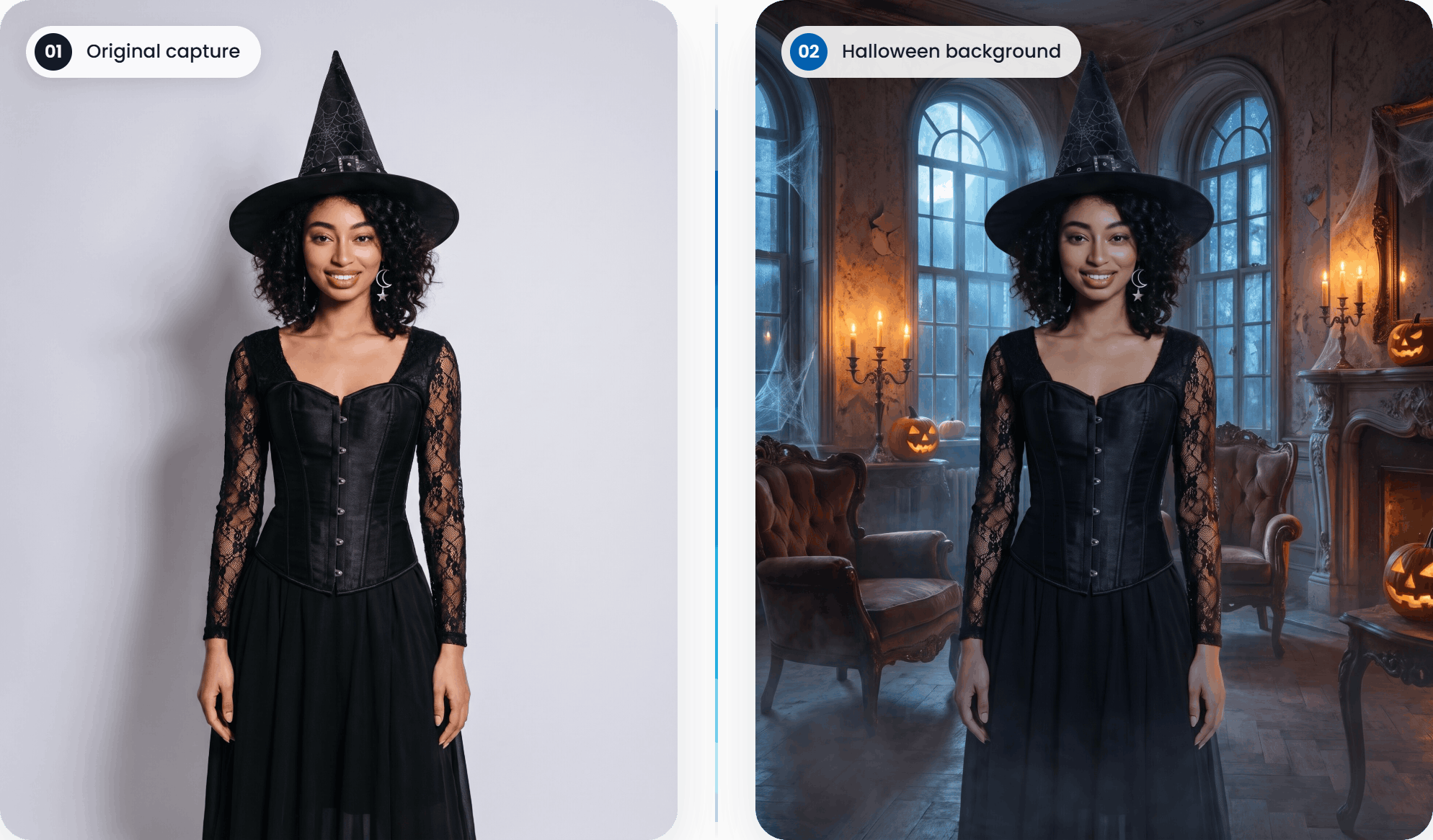
With Snappic’s background removal, you can replace the background of the room you're in with your chosen Halloween scene without carrying a physical backdrop.
Offline Background Removal is a practical option when you want the replacement visible in the live preview. It works without internet or background removal credits, so guests can see themselves in a haunted forest or gothic interior before capture. Good lighting is essential, and edges may be less precise than with Online Background Removal or a properly lit chroma key setup.
Online Background Removal offers more accurate removal without a physical backdrop, but requires reliable internet and background removal credits. The replacement doesn’t appear in the live preview.
For recorded video sessions, AI Segmentation in VideoFX replaces the background without a green screen, internet connection or additional segmentation credits. This is separate from AI Video, which animates a still image.
Choose the method around the event’s connection, lighting and output. Snappic’s background removal comparison explains the trade-offs.
Whichever route you take, keep the guest well lit. A dark final scene doesn’t require a dark capture. Give the software a clear face, defined costume edges and a sharp image; let the background supply the atmosphere.
Build a Halloween concept, not a menu of monsters
AI-FX takes a different creative route. Rather than simply replacing the background, it offers the space to reimagine the guest’s clothing, surroundings and appearance as part of a new scene.
That makes it useful for guests who arrive in full costume and those whose entire Halloween preparation might be wearing black. But, it also means you shouldn’t promise to preserve every detail of a carefully assembled outfit.
For a quick starting point, browse Occasions → Halloween in the AI filter gallery. Presets include Vampires, Creepy Clown, Halloween Monsters and 3D Halloween. No custom prompt is required: simply select your filters, attach them to a single-frame template and test the results.
A small selection of clearly different looks is easier to choose between than twelve variations on a vampire. Use your test outputs as preview images so guests understand what they’re selecting. The AI-FX preset guide covers setup, template requirements and sharing.
For a more distinctive Halloween experience, start with Snappic’s 2026 Halloween AI Prompt Pack. It contains 15 image prompts and seven motion prompts, with concepts that give you something more specific to build around.
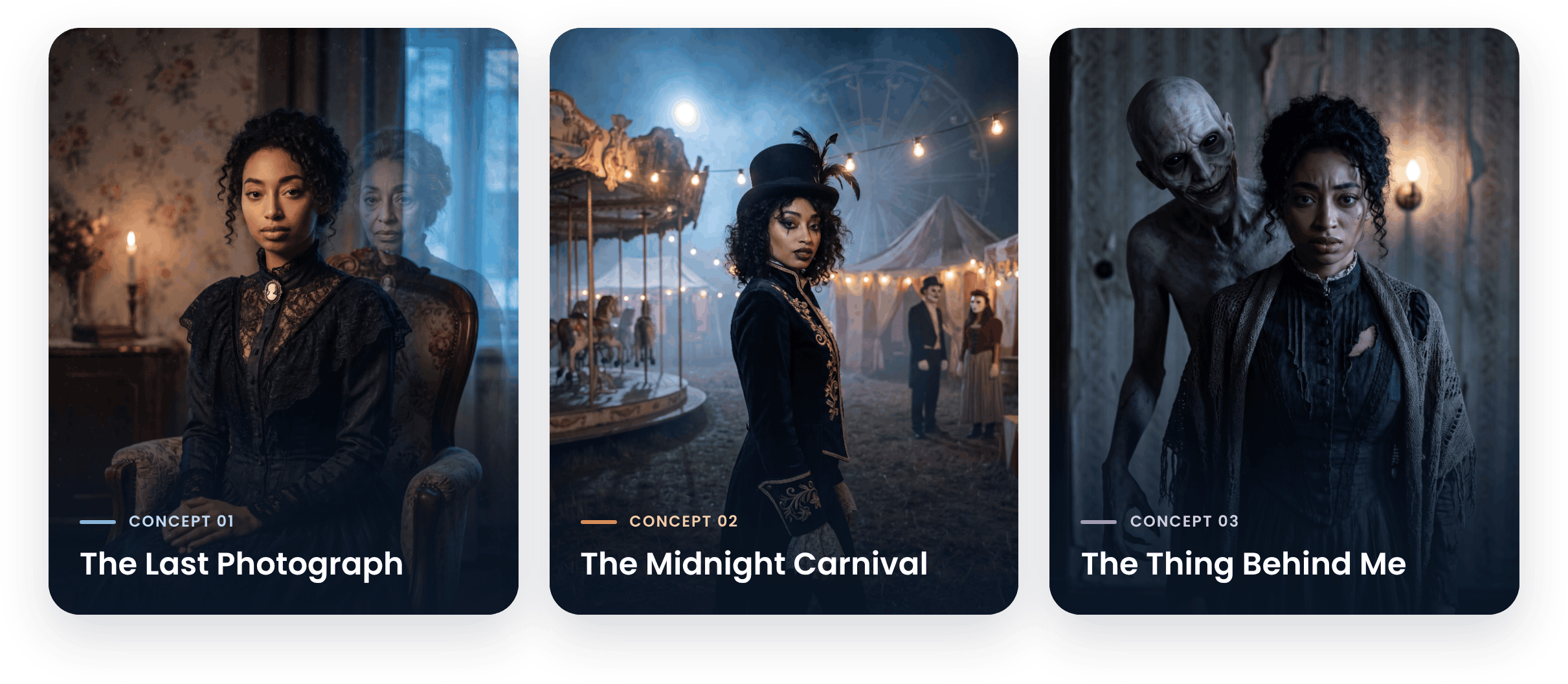
The Last Photograph
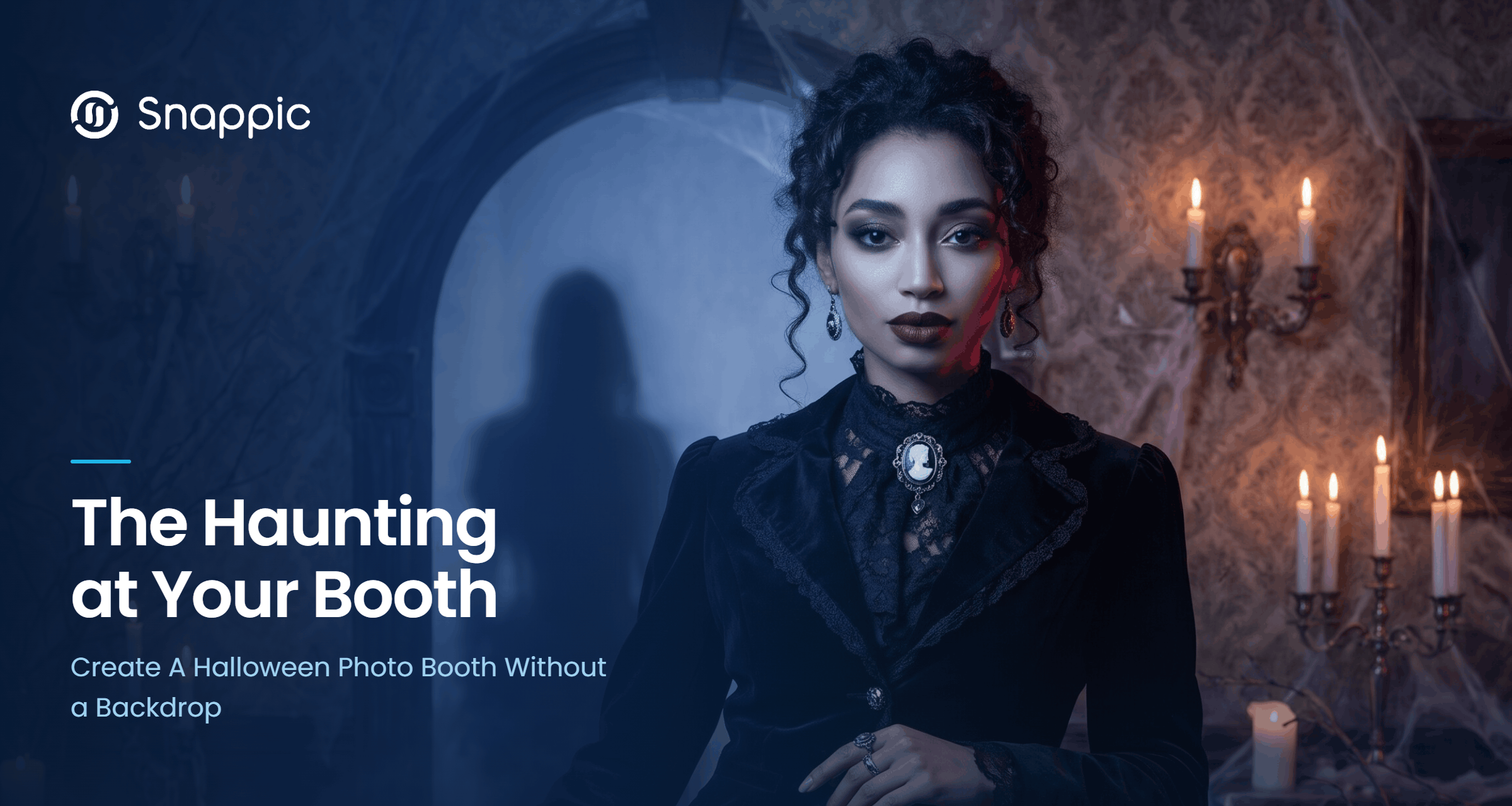
The image prompt places the guest in a Victorian-era portrait, with a ghostly presence behind their shoulder. The composition is elegant and unsettling rather than a straightforward monster transformation.
It’s a useful direction when you want the guest to remain the focal point while the background carries the scare. A matching template could borrow the look of an aged photographic mount, keeping the finished presentation consistent with the portrait.
The Midnight Carnival
This concept puts the guest at the center of an abandoned fairground, surrounded by faded tents, hanging bulbs, fog and a looming Ferris wheel.
The appeal is the setting as much as the character. Instead of offering “a Halloween filter,” you can show a client a tested carnival portrait and explain the visual experience their guests will receive.
The Thing Behind Me
Here, the guest stays human while an impossibly tall creature appears directly behind them.
That gives the image a different kind of reveal. The guest recognizes themselves first, then notices what has joined the photo. It’s a strong alternative to making every person into a zombie.
Treat these prompts as creative starting points, not guaranteed outputs. Results vary with the model, source image and settings. Test with photos that resemble your actual booth conditions, and review the content for the event audience: parts of this pack lean into disturbing horror, not family-friendly Halloween.
Get the Halloween resources: Our 2026 Halloween AI Prompt Pack and Halloween Marketing Pack are available to monthly and annual subscribers in the Snappic Community Portal. The resources are free to download, however AI generation uses AI credits on the Snappic App.
Give the scene a second act with AI Video
The best reason to add motion is that something in the picture deserves to move.
In The Last Photograph, that might- be the ghost edging closer while the living guest remains almost still. In The Midnight Carnival, it could be the Ferris wheel beginning to turn as fog drifts across the ground. In The Thing Behind Me, the creature slowly leans toward the guest’s shoulder.
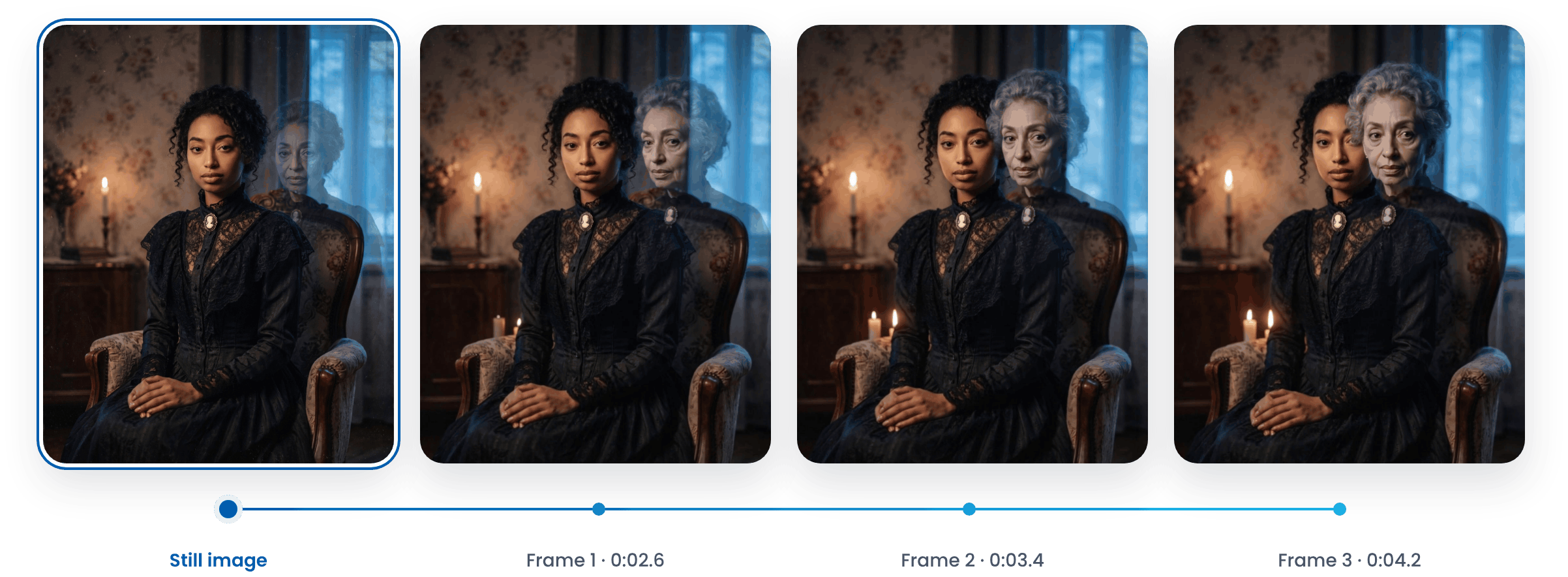
Those are the intentions described in the pack’s motion prompts, not promises of identical results. Start with one clear movement the viewer should notice, then test whether it holds together.
Snappic’s AI Video offers two starting-frame options:
- Use Photo As-As: Animate the captured photo directly. Choose this when the guest has already dressed up as the character and you don’t need a separate AI image-generation stage.
- Restyle with AI first: Generate a new image, then animate it. Use this to pair a Halloween image concept with its motion prompt.
For the second route, each effect needs both an image prompt and its own saved video prompt. Testing a clip is not the same as configuring the event: save the effect settings, save the video prompt, save the template and attach it to the event.
There’s also a deliverable distinction worth getting right before quoting. The restyled image used inside AI Video is an intermediate frame, not a separate AI portrait sent to the guest. If you promise both a generated photo and a video, configure and test both experiences.
Finish the video as deliberately as the image. Choose Portrait for phone-first delivery, add a short event-branded opener where it earns its place, and upload a suitable soundtrack. Sound comes from the soundtrack you add, rather than the AI-generated clip.
AI Video is in open beta for all Snappic users. Generation uses credits and typically takes a few minutes, running in the background while guests return to the party. Set up email or SMS delivery so they don’t wait at the booth.
Follow the AI Video setup guide and test the complete guest journey, not just a sample animation.
Show clients the experience you’ve actually built
A tested example will do more work than a proposal listing AI-FX, motion prompts and background removal.
Take The Midnight Carnival. Generate sample portraits, test the matching animation and finish the video with the presentation you intend to offer. Now you can tell a client:
“Guests choose the haunted carnival experience, take a photo and receive a short, personalized Halloween video after it renders.”
That is something they can picture. Better still, you can show it.
Use the Halloween Marketing Pack to carry that tested concept into your promotion. Its editable flyers, Stories, carousel, Reel and countdown templates, plus social captions, give you a starting point. Replace sample imagery with your own reviewed outputs, add your business details and make the promised deliverables explicit.
Price the experience around the workflow you’re running. Restyling before animation uses credits for both stages. Check the live costs and budget for expected sessions, testing and a margin rather than assuming every guest output costs the same.
Before the booking, run a session from capture through to the guest’s phone and any promised print. Check the image, the motion, the soundtrack, the delivery and the credit balance together.
You don’t need to turn the venue into a haunted house. Build one Halloween concept that works, show clients exactly what it produces, and let the haunt live in the booth.
Frequently Asked Questions
1. Can you run a Halloween photo booth without a physical backdrop?
Yes! With Snappic's background removal, you can replace the venue's background with a Halloween scene without setting up a physical backdrop. AI-FX also lets you transform portraits into themed Halloween images.
2. How does AI background removal work for a Halloween photo booth?
Snappic's background removal replaces the original background with a chosen scene. Offline Background Removal works without internet or background removal credits, while Online Background Removal offers more accurate removal but requires a reliable internet connection and credits.
3. What Halloween AI filters can I use in Snappic?
Snappic's AI-FX gallery includes Halloween presets such as Vampires, Creepy Clown, Halloween Monsters and 3D Halloween. You can also explore custom concepts using the 2026 Halloween AI Prompt Pack.
4. Can I turn Halloween photo booth pictures into videos?
Yes! Snappic's AI Video can animate a captured photo or an AI-restyled image. You can create themed motion effects, add a soundtrack and configure delivery so guests can receive their videos by SMS or email.
5. Where can I find Snappic's Halloween AI Prompt Pack and Marketing Pack?
Both resources are available to monthly and annual subscribers in the Snappic Community Portal. The AI Prompt Pack includes 15 image prompts and seven motion prompts, while the Marketing Pack provides editable promotional templates and social media captions.
6. Do Snappic's Halloween AI features use credits?
AI generation uses AI credits in the Snappic app. Background removal requirements vary by method, while AI Video generation uses credits. Check the relevant feature settings and current credit costs before your event.