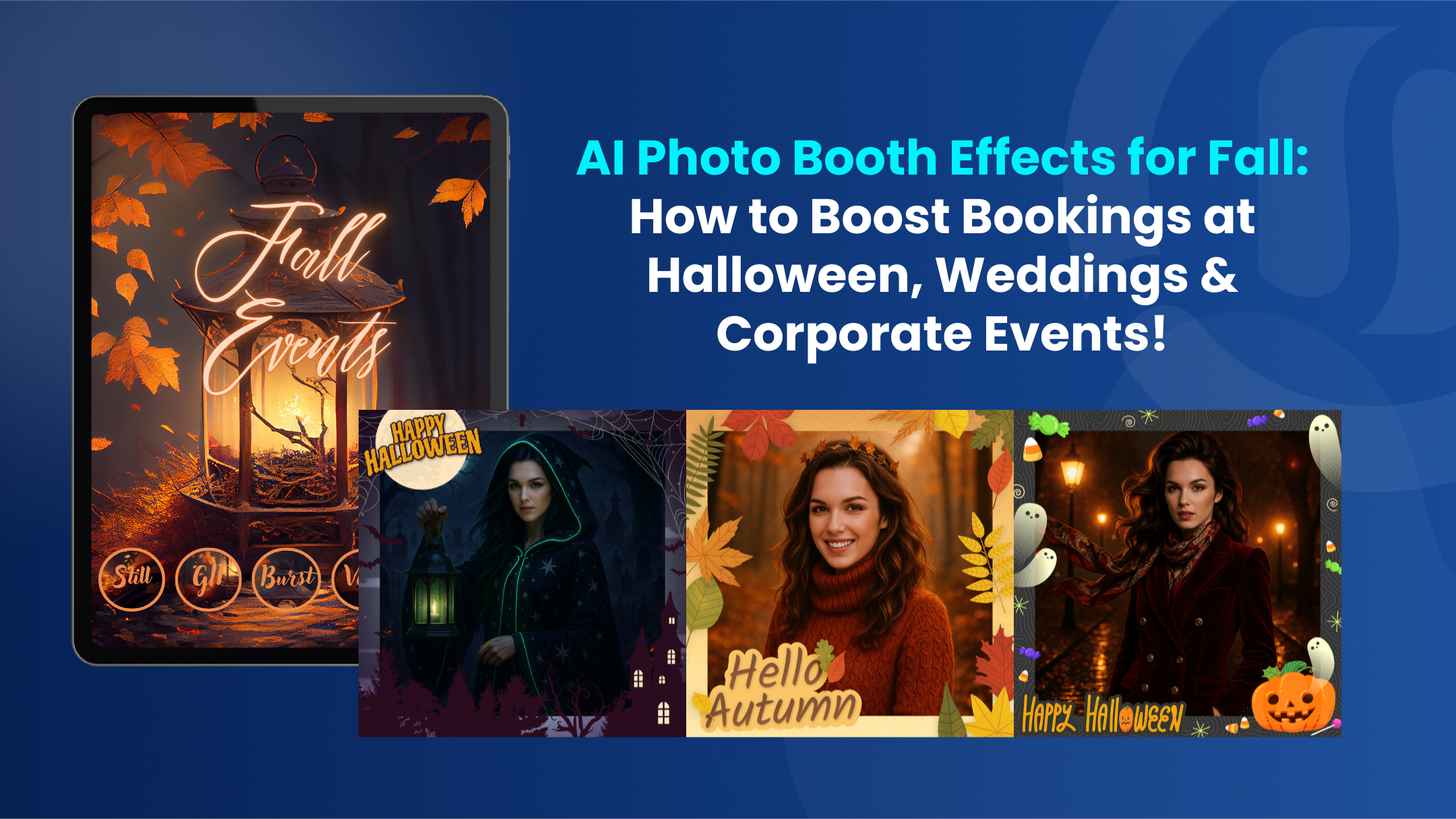
How to Use AI Photo Effects to Boost Bookings at Fall Events
Boost bookings this fall by turning simple photo booth captures into stunning seasonal visuals with Snappic’s AI-FX suite. Learn how to select the right AI filters, create client-ready packages, streamline on-site workflows, and deliver shareable, branded content that keeps guests and clients delighted.

August 29, 2025
The Snappic team is passionate about creating unforgettable photo booth experiences.
How to Use AI Photo Effects to Boost Bookings at Fall Events
Fall is prime season for photo booth businesses. Corporate gatherings, Halloween parties, homecoming weekends, winery harvest festivals, brand activations, and cozy weddings all ask for experiences that feel seasonal, premium, and genuinely fun to share. With Snappic’s AI Photo Booth effects, you can transform simple captures into themed visuals that clients will notice in proposals and guests will rush to post.
This blog shows you how to turn Snappic's AI Photo Booth effects into bookable fall packages and a smooth on-site workflow that keeps lines moving.
Choose the right AI filter for the job
Start by matching your outcome to the correct AI-FX tool.
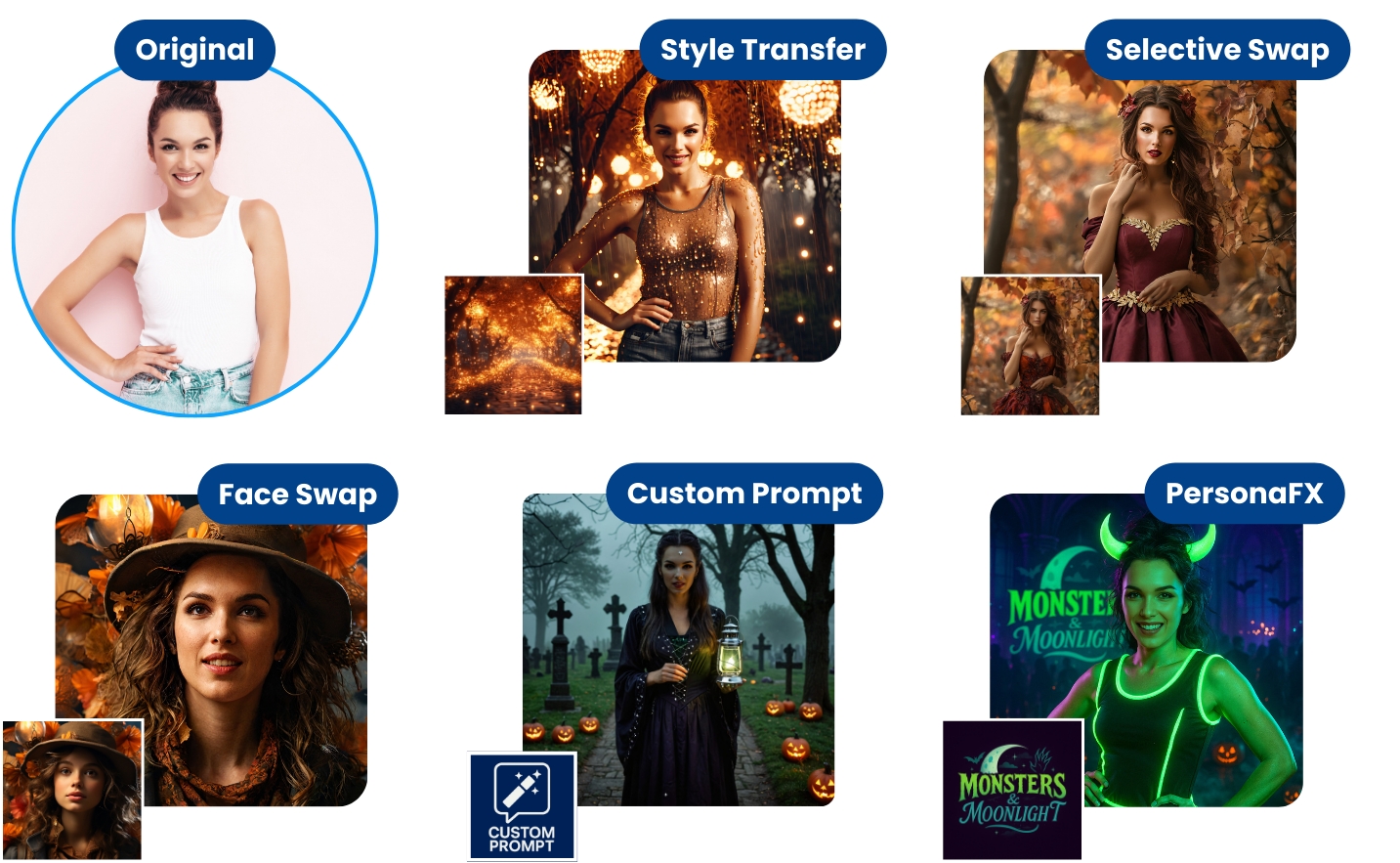
- ClassicFX gives you granular control over realism or stylized looks, accepts a style reference image, and lets you fine tune composition and intensity so an autumn palette, moody lighting, or cinematic framing is easy to reproduce event after event. It is the most flexible path when you need seasonal art direction or brand-specific treatments across a variety of scenes.
- PersonaFX creates highly detailed avatars and portraits with adjustable levels of realism and supports style references and dynamic, survey-driven inputs. It is perfect for sports nights with jersey numbers, alumni weekends with school colors, or Halloween characters that still feel like the real guest.
- Selective Swap lets you change a specific region such as outfit, body, or full look while keeping the guest’s real face. This is ideal when a client wants costume variety without losing identity, for example swapping in fall sweaters, varsity jackets, or witch robes while preserving the original facial likeness.
- Style Transfer applies the visual DNA of a reference image to every capture. Upload a fall-themed or brand-styled reference and dial in style and composition strength to achieve consistent color, texture, and mood across the night. This is a fast way to promise on-brand deliverables before doors open.
- Face Swap 2.0 specializes in swapping only the skin areas of the face into a provided image while preserving pose, outfit, and background. For poster-style scenes, product co-branding, or Halloween lookbooks, it is a quick route to striking composites that still feel photoreal.
Package ideas that clients understand and approve quickly
Lead with visuals that sell the season.
For corporate harvest parties, pair Style Transfer with a reference that features warm tones, soft bokeh lights, and brand accents so every image looks editorial and on brand.
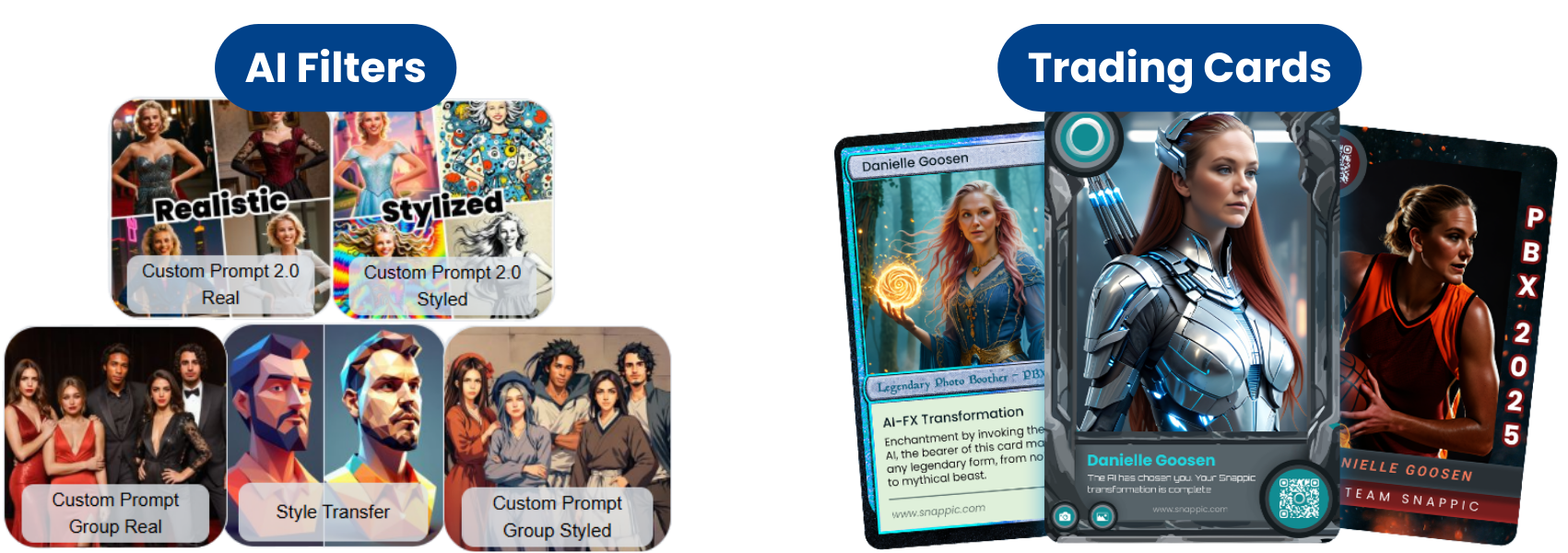
Snappic’s Custom Prompts 2.0 and Custom Prompt Group feature lets you pre-build filters that stay consistent with your theme while adding variety, which is ideal for Halloween where you might cycle through classic costumes, enchanted forests, and creepy portraits.
If your client loves collectible formats, position an add-on that delivers personalized trading cards with printing. Snappic’s trading card tutorial shows the full flow from survey to templates and print prep, which maps naturally to fall sports, e-sports meet-ups, and school spirit events. This easy upsell feels premium without adding complexity to your on-site crew.
Make the on-site experience fast and guest friendly
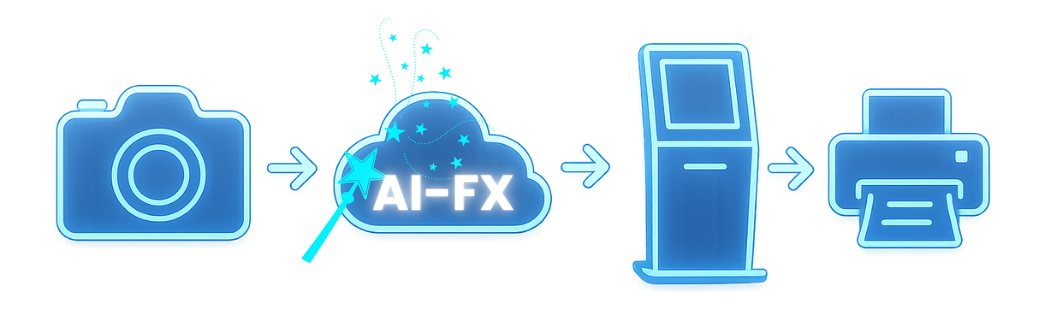
AI-FX rendering happens in the cloud after capture, so plan your flow to keep lines short. Send the final AI image by the guest’s chosen method and make it available at the Sharing Station for additional sharing and printing. This handoff lets you keep capturing while AI finishes in the background.
Help guests choose their effect quickly by adding preview images for each AI look. This is especially helpful when you separate Halloween variants, fall colorways, or sponsor-specific treatments into their own templates with clear visual cues.
Keep your galleries clean and client ready
When you are running AI-FX alongside standard stills, use the Advanced Filtering for AI-FX setting to hide original stills from the app, online gallery, and analytics. The public-facing gallery stays cohesive and clients only see the finished seasonal effects you promised.
Print and share without delays
Snappic supports multiple printing paths, including Mac or Windows Print Server and AirPrint.
Choose the setup that fits your gear and network, and configure strip or 4x6 formats inside the app. If you need reprints later in the night or after the event, Snappic’s reprinting flow and Multiple Session Sharing at the Sharing Station make it easy to find sessions and resend to print or share to text and email.
Capture leads on seasonal activations
Our event analytics lets you collect guest emails or phone numbers and then download share data from your dashboard to deliver a clean report to clients. Pair that with gallery analytics for a complete post-event summary that shows value beyond the photo.
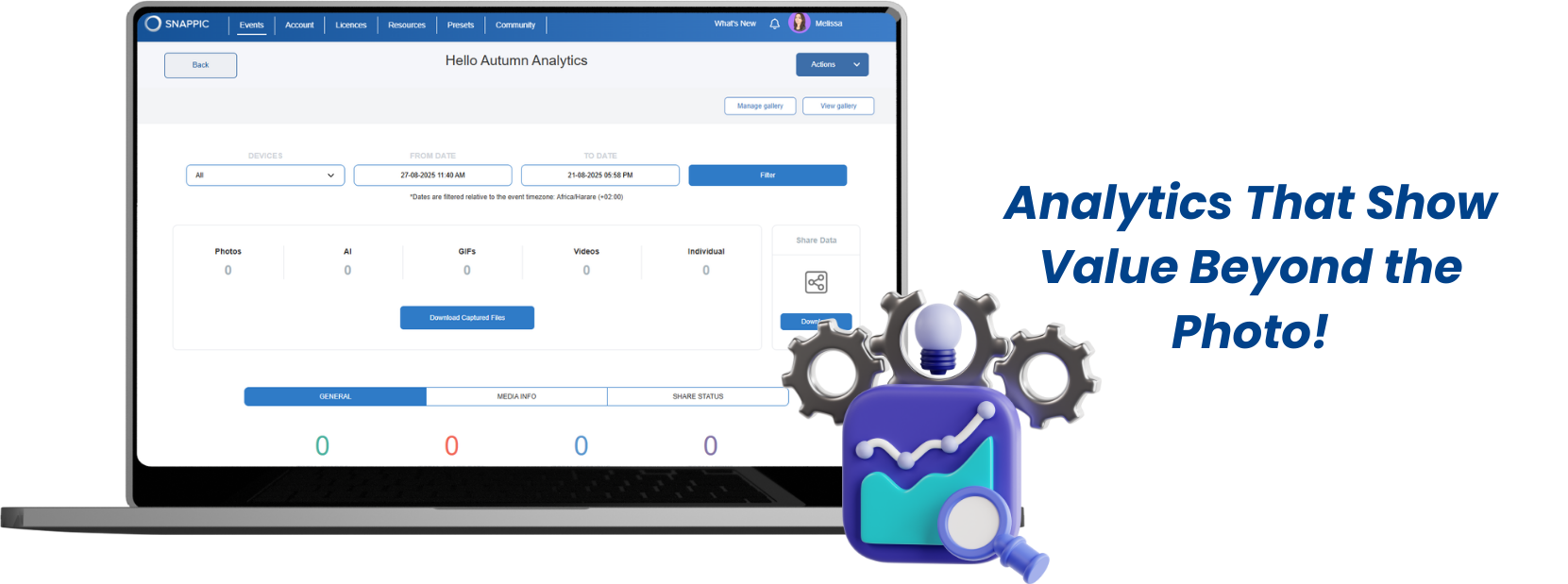
Plan credits and costs with confidence
If your package includes AI background removal or AI-FX, make sure the needed credit add-ons are enabled ahead of time and priced into your quote. This keeps margins healthy while guaranteeing the smooth experience your fall clients expect.
A simple setup roadmap for your next fall booking
- Start in your dashboard with AI-FX and select the effect that fits the brief.
- Build or import your prompts, attach a style reference where needed, and create preview images so guests can choose quickly at the booth.
- Configure your Sharing Station and confirm local syncing.
- Choose the printing set-up that suits your venue needs (ie. wired, wireless, or airprint) and test the event on your iPad, remembering to disable Test Mode before going live.
- During the event, keep guests moving by capturing continuously while AI renders, then direct them to the Sharing Station for prints, reprints, and social shares.
- After the event, download share data and deliver a branded recap that highlights engagement and reach.
Fall bookings are won by ideas that feel seasonal and execution that feels effortless. With Snappic’s AI-FX suite, you can promise both. If you are new to Snappic, start your free 14 day trial today!
If you want help tailoring an AI effects package for a specific fall brief, our team is available 24/7 at https://www.snappic.com/contact-us
FAQ's:
1. What is Snappic's AI Photo Booth Effects?
Snappic AI-FX is a suite of AI-powered photo effects that transforms event captures into themed visuals, including avatars, style transfers, and face swaps, perfect for fall and seasonal events.
2. Can AI Photo Booth Effects be used for Halloween and themed events?
Yes. Snappic AI-FX allows you to pre-build Halloween or seasonal filters, create preview images, and offer collectible add-ons like personalized trading cards to enhance the guest experience.
3. How do I keep the on-site experience fast with AI Photo Booth Effects?
AI rendering happens in the cloud, so continue capturing while AI processes images. Use preview images to help guests choose effects quickly and direct them to the Sharing Station for prints and digital delivery.
4. Can AI Photo Booth Effects results be reused or shared for client reports?
Yes. Hide original stills using Advanced Filtering, print or share photos immediately, and collect share data for post-event analytics to showcase engagement and deliverables to clients.
More from Melissa
Previous Post
Branded Fall Looks with Snappic Event Templates
Discover how to create branded fall photo booth experiences in minutes using Snappic’s pre-made event templates. Learn how to customise graphics, preview live overlays, streamline guest flow, and reuse setups to book more events with less effort.
Next Post
Halloween Photo Booth Ideas: Spooky Season Toolkit
Transform your Halloween photo booth with Snappic! Use overlays, digital props, AI effects, green screen, and interactive games for spooky fun.