PersonaFX: The Champion of Personalized AI Photo Booth Filters
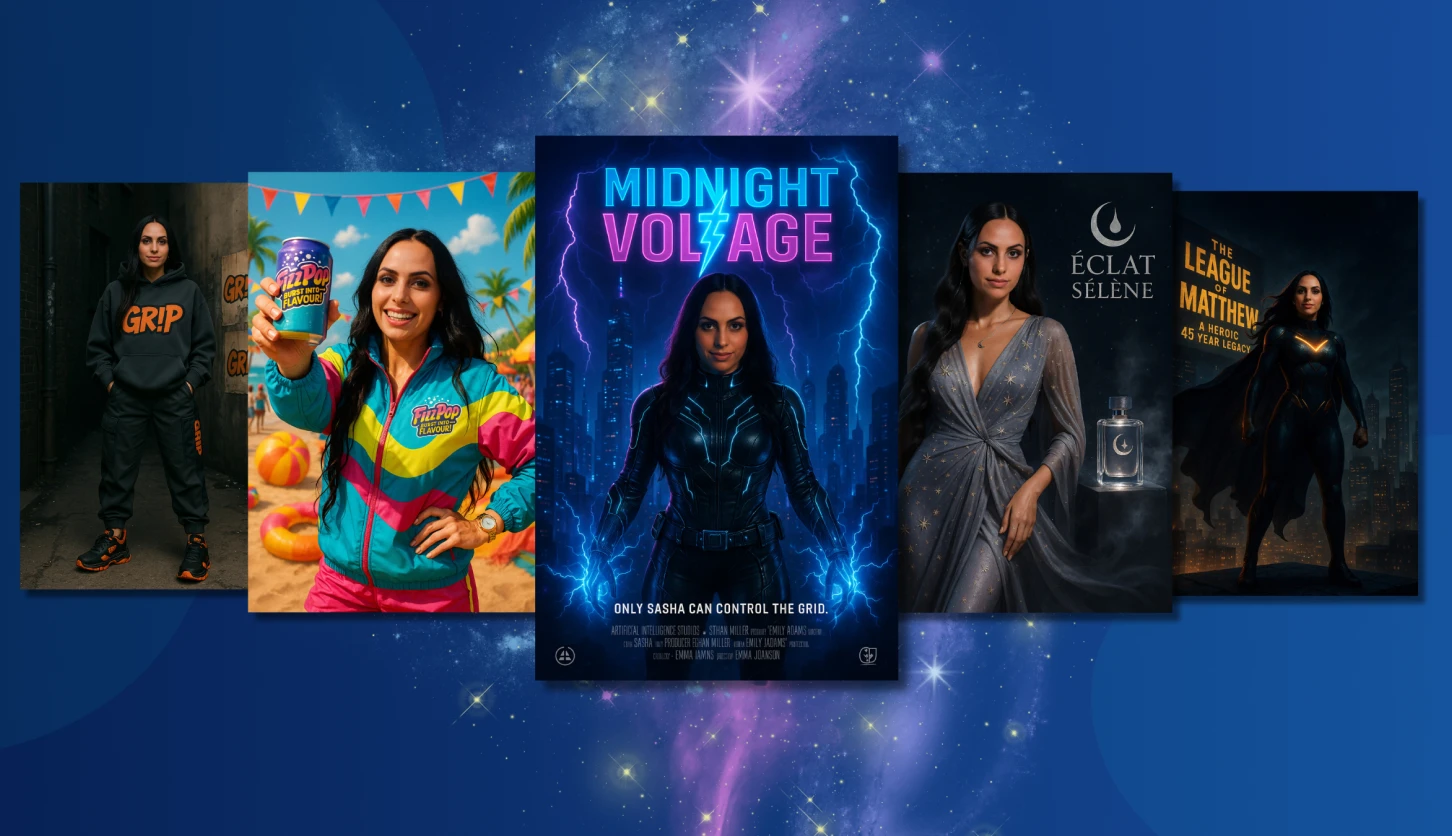
In a world full of AI photo effects, there’s one that truly stands out: PersonaFX. It’s become a favorite in the Snappic community, often called “The Champion Filter” for good reason.

Melissa
July 15, 2025
PersonaFX: The Champion of Personalized AI Photo Booth Filters
Meet Your New Photo Booth Powerhouse!
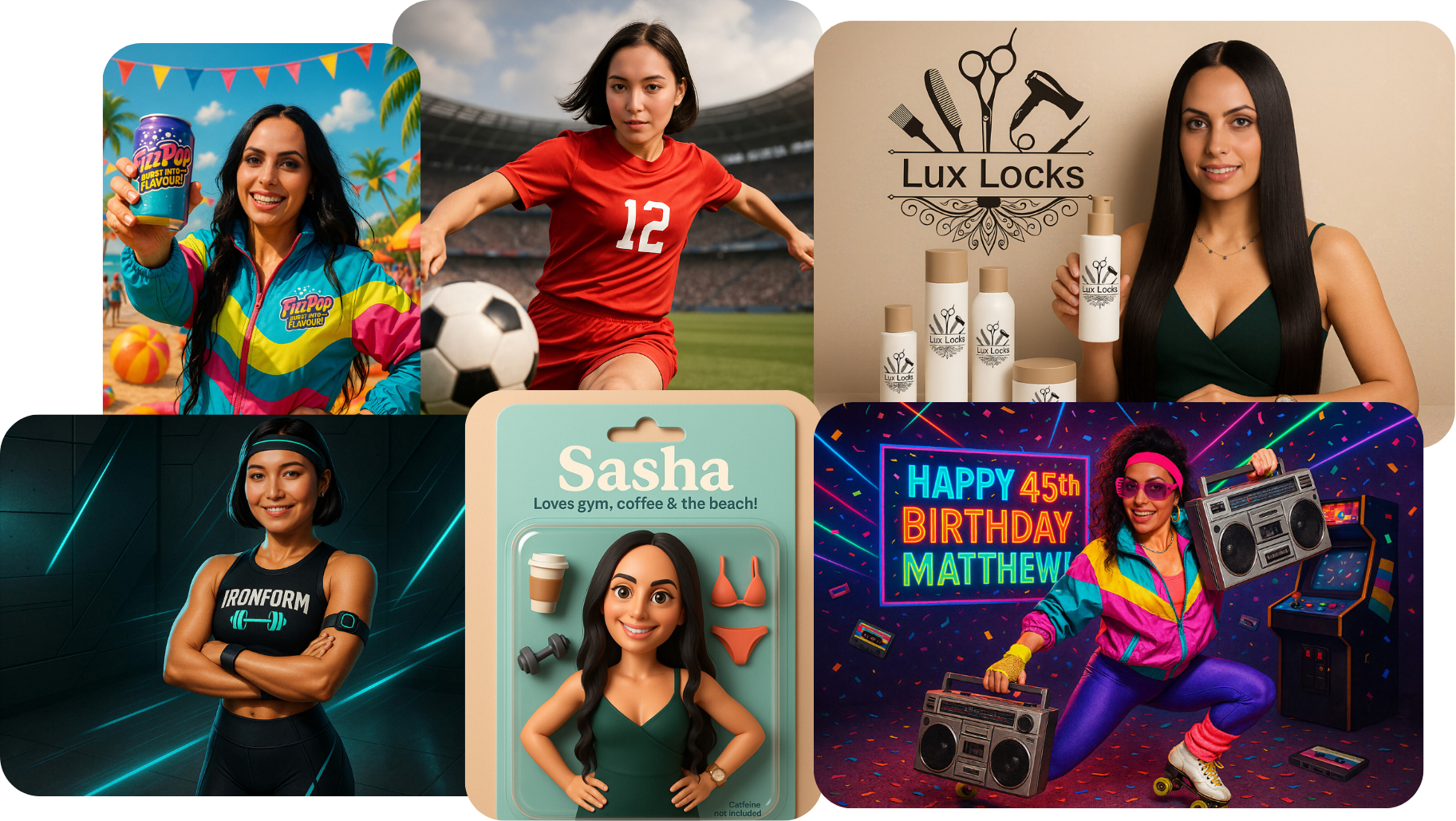
In a world full of AI photo effects, one tool truly stands out: PersonaFX. Often called “The Champion Filter” among Snappic users, it blends personalization, branding, and creative freedom into one powerful AI photo booth feature.
Whether you’re running a sleek corporate activation, a fantasy-themed wedding, or a high-energy sports event, PersonaFX transforms simple portraits into personalized, eye-catching masterpieces that impress clients and guests alike.
If you’ve been searching for a next-level AI photo booth filter, this is the one.
What Is PersonaFX?

PersonaFX is a flexible AI-FX system built specifically for photo booth owners. It lets you generate high-quality, custom AI images using three modes:
- PersonaFX Real – Lifelike, dynamic, photorealistic outputs
- PersonaFX Styled – Artistic, cartoon, fantasy, or illustration-inspired looks
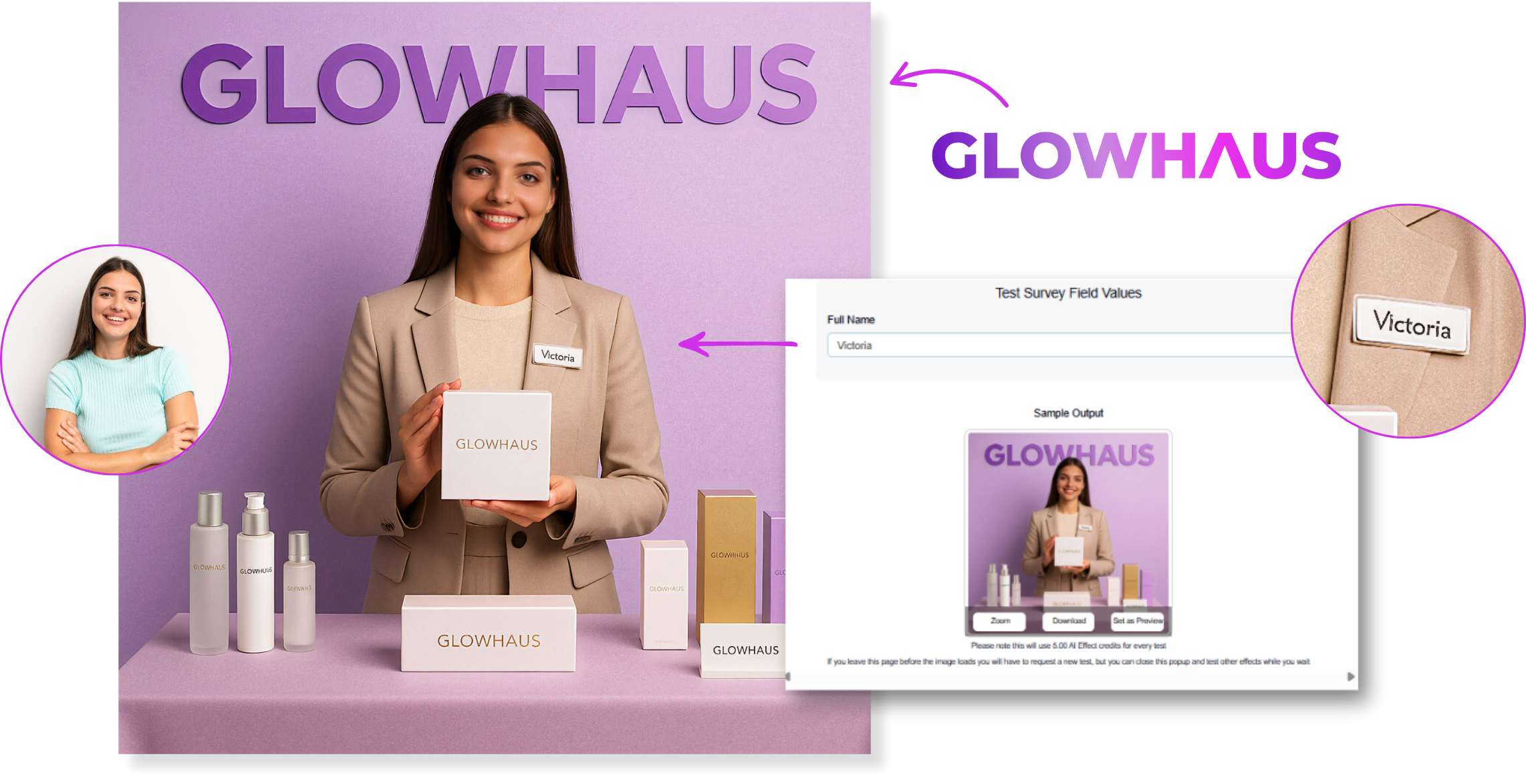
- PersonaFX Pro Real – Photorealistic scenes guided by uploaded logos, packaging, or reference images
Each style can be enhanced with survey data and detailed prompts for full creative control.
Why PersonaFX Is the Best Personalized AI Photo Booth Filter
1. Dynamic Personalization Built In
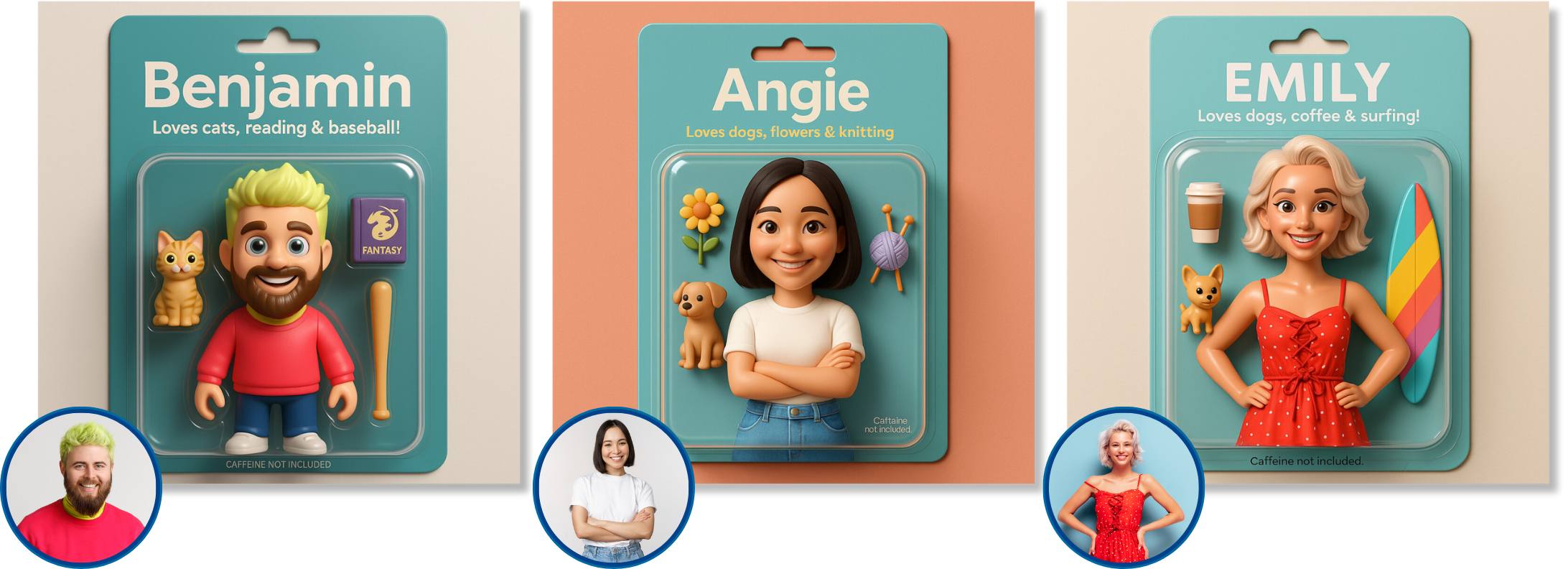
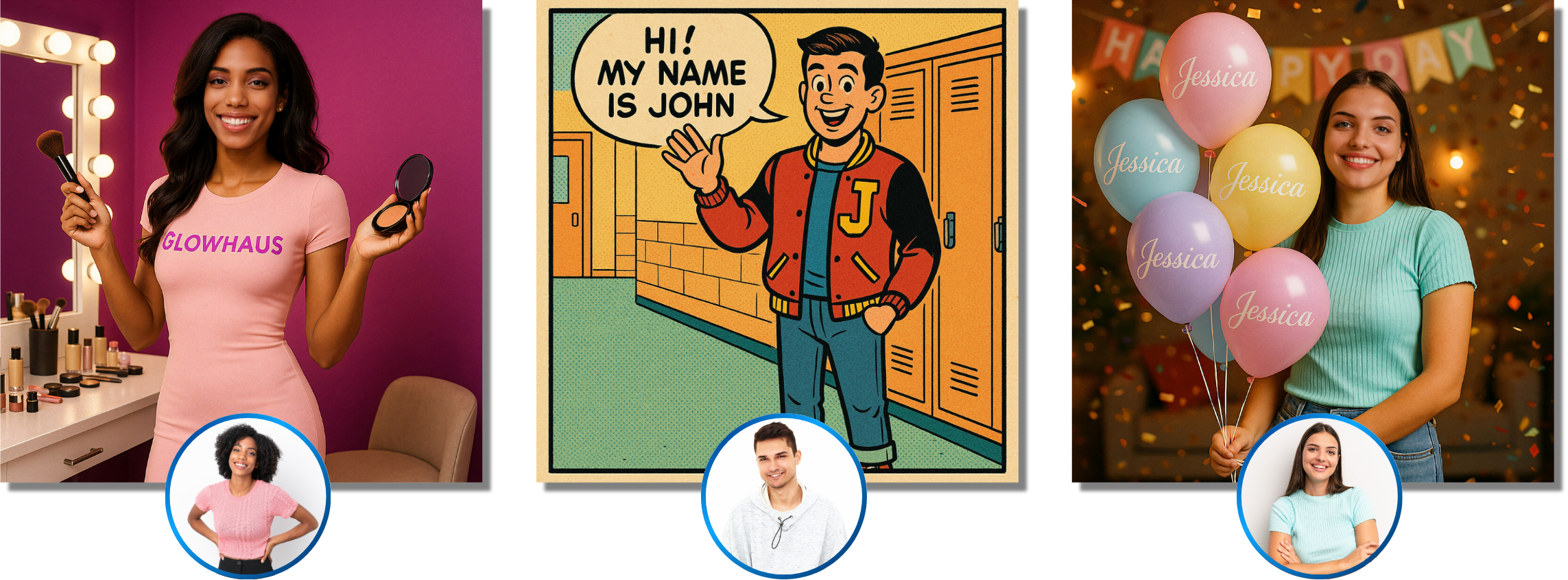
PersonaFX automatically inserts survey details—names, numbers, roles, and brand info—right into the final image.
Perfect for:
- Sports themes: Add jersey numbers or player names
- Corporate events: Insert job titles (e.g., “Marketing Director”)
- Weddings & parties: Fun labels (“Bride Tribe,” “Birthday Queen”)
- Brand activations: Product names, slogans, or campaign text
2. Built for Branding

With Pro Real, you can upload logos, packaging designs, or mockups. The AI uses these references to create perfectly branded outputs—no external design tools needed.
3. Endless Creative Possibilities
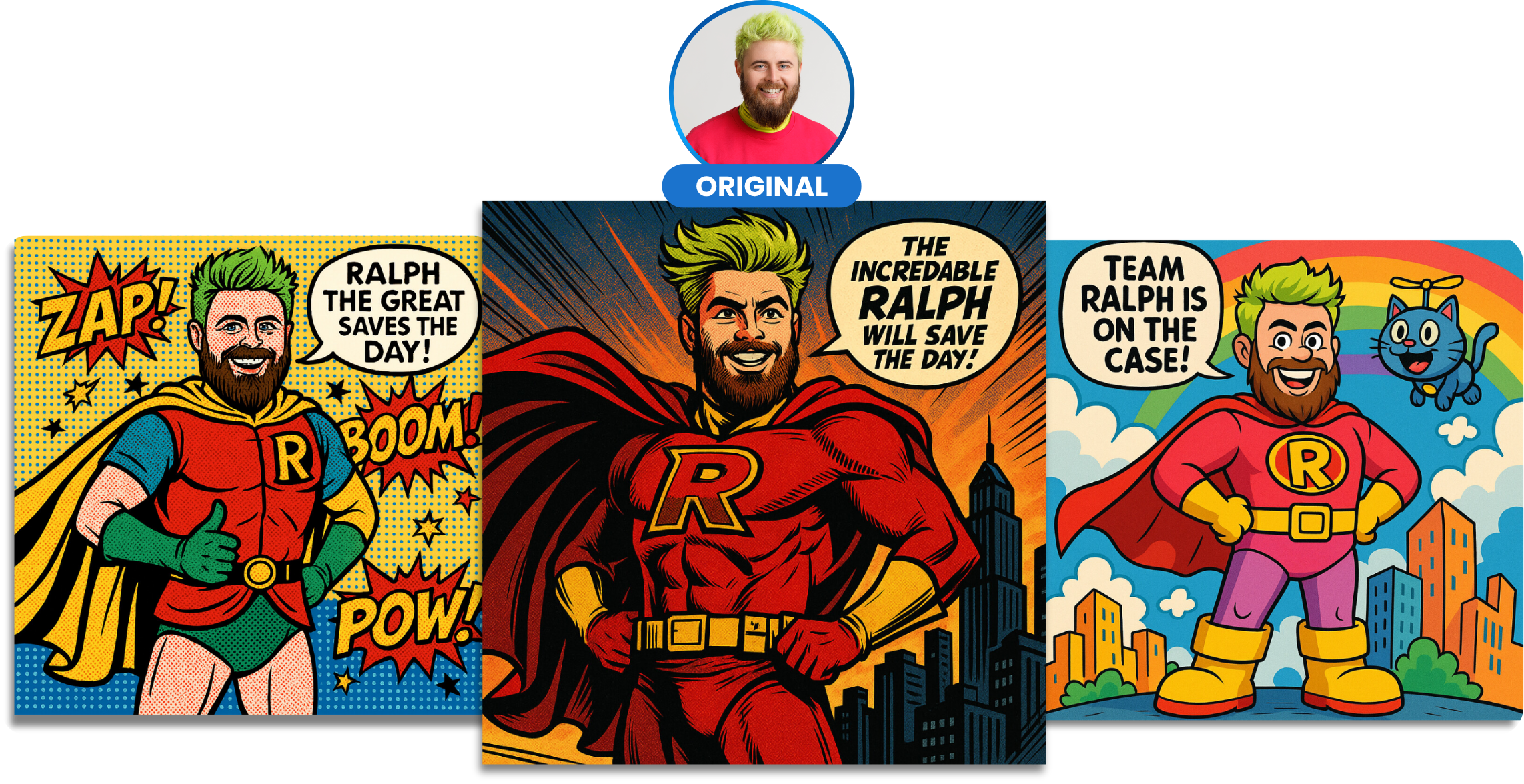
PersonaFX Styled empowers you to turn guests into:
- Sci-fi warriors
- Cartoon superheroes
- Fantasy characters
- Anything your theme requires
4. Earn More With Every Session
Offer multiple styles as premium add-ons or themed bundles to increase your per-session revenue, without adding extra work.
PersonaFX Filter Modes Explained

PersonaFX Real
- Style: Photorealistic
- Best For: Sports shots, action portraits, or professional images
- Customization: One survey field (like a jersey number)
- Credits: 5 per image
This filter puts your subject into a realistic scene based on your prompt. You get lifelike detail and full control over the setup. You can also add custom text with our survey feature.
Example Prompt:
"One person mid-kick on a soccer field, wearing a red jersey with a ((What's your favourite number?)) on the front, natural skin tone and fabric textures, stadium background, photorealistic action shot."

PersonaFX Pro Real
- Style: Photorealistic with layout or brand reference
- Best For: Product launches, branded events, uniforms
- Customization: Survey data plus an uploaded reference image
- Credits: 6 per image
Guests appear within branded mockups or layouts, such as billboards, packaging scenes, or product-themed environments.
Example Use:
Your guests appear on a billboard that features your event branding, gear, or product theme, all based on your uploaded mockup.

PersonaFX Styled
- Style: Fun, cartoonish, or fantasy
- Best For: Themed parties, comic-style portraits, artistic flair
- Customization: Full prompt (plus survey data if you want)
- Credits: 4 per image
This one’s for wild creativity. If you’re doing anime, illustrations, or turning people into magical characters, this is your go-to filter.
Example Prompt:
"A fantasy archer in emerald armor with a glowing bow, standing in a misty forest, animated style, glowing eyes, illustrated background with dramatic lighting."
How to Set Up PersonaFX in Snappic
Step-by-Step Guide:

1. Enable Surveys
Head to Experience Setup > Features > tab Enable Surveys. Use this to collect names, numbers, or roles.

2. Choose Your Filter
Open the AI-FX Filter Library and select Real, Pro Real, or Styled.

3. Name Your Filter & Set a Preview Image
Give it something catchy like “Fantasy Hero Portraits” or “Unbox Me!”. Upload a sample image so guests know what kind of output to expect..

4.Write the Prompt
Be as specific as possible. Include details like the scene, clothing, lighting, and style. The survey field allows you to insert dynamic values.

5. Add a Reference (for Pro Real)
This is where you upload logos, mockups, or layout images.

6. Pick the Output Size
Choose between square (1024x1024), portrait (1024x1536), or landscape (1536x1024). .

7. Test It Out
Upload a sample photo, plug in some test data (like a jersey number), and run a preview to check the quality..
Real-World Inspiration
Here’s how real booth owners are using PersonaFX:
Industry/Event | How They’re Using PersonaFX |
|---|---|
Sports Marketing | AI player portraits with custom numbers and team colors |
Weddings | Romantic avatar-style portraits in Styled mode |
Corporate Events | Branded packaging shots using Pro Real |
Kids’ Parties | Cartoon superhero transformations |
Corporate Team Days | Team Member Titles ("Spreadsheet Ninja") |
Retail Pop-Ups | Collectible character cards with logos and slogans |
Tips to Get the Best Results
- Be as detailed as possible in your prompt. More detail equals better output.
- Skip vague language. Instead of “cool outfit,” try “shiny silver armor with blue accents.”
- If you're using Pro Real, upload clear images with bold branding.
- Start small. Try each mode with one or two test guests before a full event rollout.
- Create themes! Holiday elves, retro superheroes, futuristic warriors—it’s all possible.
Why PersonaFX Deserves a Spot in Every Premium Booth
Here’s why adding PersonaFX is a no-brainer:
- Stand out in a crowded market
- Open up new revenue opportunities
- Make branding easy for corporate clients
- Wow guests with personalized, keepsake-quality photos
- Encourage sharing for more organic exposure.
In other words, PersonaFX isn’t just a cool filter; it’s a serious upgrade for your business.
Ready to Try It?
If you want to deliver unforgettable, fully personalized AI photo booth experiences, PersonaFX gives you the most flexible and powerful AI tools available in a single feature.
👉 Start your free 14-day Snappic trial:
Previous Post
Why Photo Personalization Is the Secret to Unforgettable Guest Experiences
"Elevate guest experiences with photo booth personalization. Discover how custom prints leave lasting impressions and boost your event business today!"
Next Post
Elevate Every Capture: How AI Photo Glam Can Set Your Photo Booth Business Apart
Transform your photo booth with AI Photo Glam. Offer instant skin smoothing, teeth whitening and glam portraits that wow clients and boost event bookings.