Professional photo booth software
Professional photo booth app for every event setup
A photo booth app is event software that turns an iPad, iPhone, or connected camera setup into a self-service photo booth. It handles photo and video capture, branded templates and AI effects, instant sharing, and printing.
Snappic lets professional operators run iPad, DSLR, 360, mirror, robot-arm, and roaming experiences from one platform. Create the event in your online dashboard, then run it from the Snappic app.
Plans start at $29 per event. No credit card required for the 14-day free trial.

- 8,000+ operators and businesses
- 100,000+ events worldwide
- Used by teams at Google, Netflix, and more
- 24/7 support
What is Snappic?
Snappic is a photo booth app and event-management platform built for professional photo booth operators, event companies, and branded activations. It combines event setup, photo and video capture, visual effects, guest sharing, printing, galleries, data collection, and reporting in one platform.
Operators configure events in the Snappic dashboard, then log in to the Snappic app on a supported iPhone, iPad, or Apple-silicon Mac. Events can use the device camera or a compatible Canon, Nikon, Sony, or GoPro camera, depending on the experience.
Booth types
One platform for every booth you want to offer
Start with a classic photo booth, add premium experiences as your business grows, and manage them from the same platform.
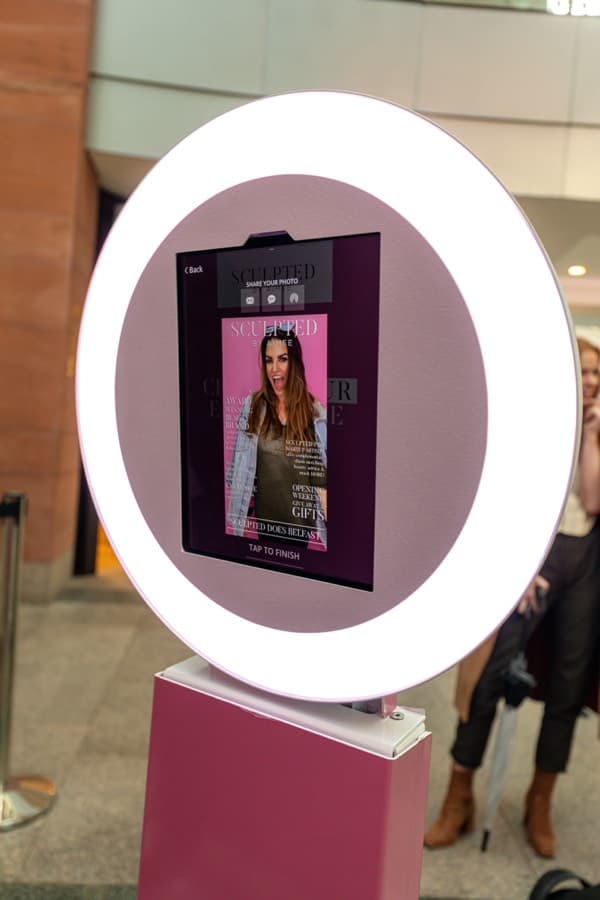
iPad photo booths
Still photos, GIFs, bursts, branded layouts, digital props, and guest sharing from an iPad-based booth.
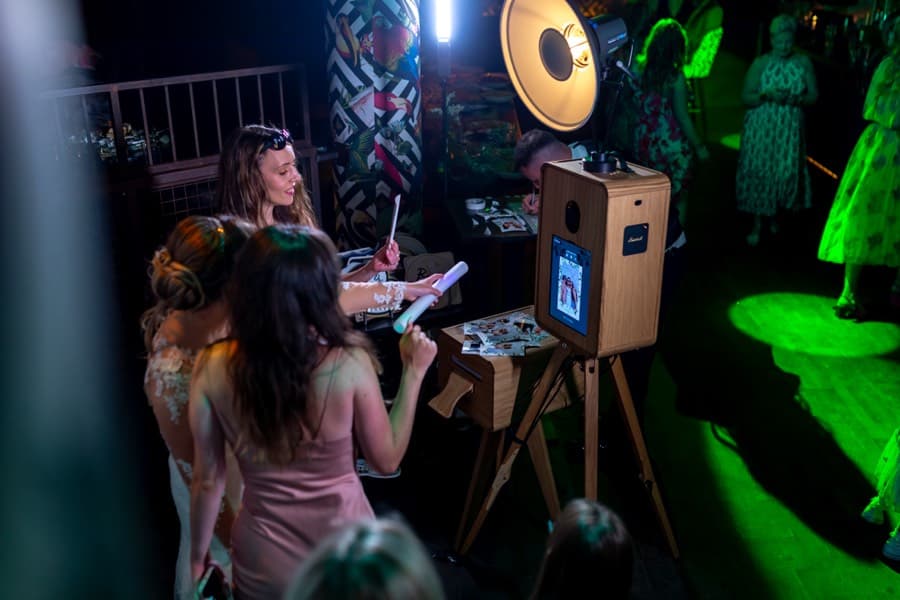
DSLR and mirrorless booths
Connect compatible Canon, Nikon, and Sony cameras to a supported iOS device for higher-quality capture.
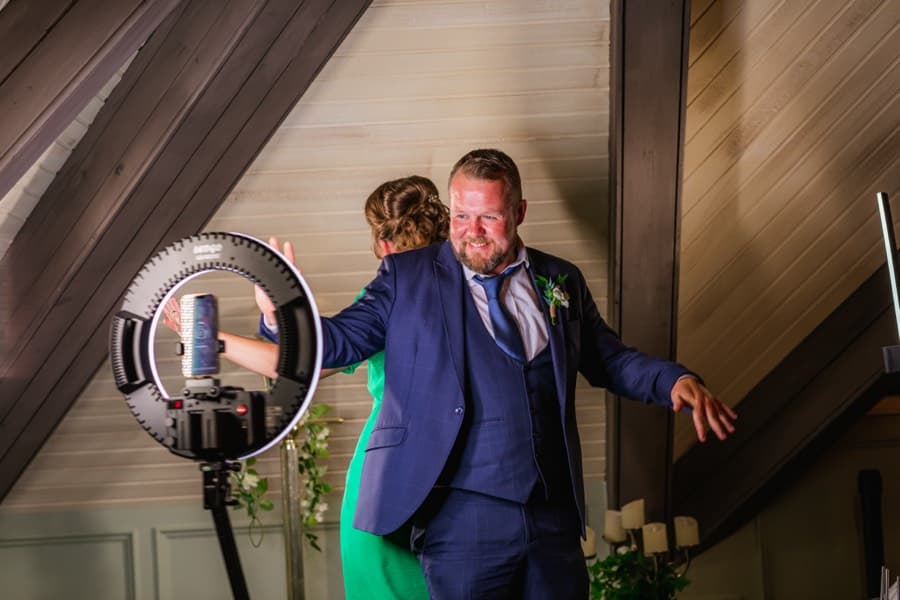
360 video booths
Slow-motion VideoFX experiences with effects, transitions, branded templates, and supported GoPro cameras.

Robot arm and Glambot
Polished, slow-motion video experiences for premium events and brand activations.

Mirror booths
Interactive mirror-booth workflows, with the event, branding, sharing, and output managed in Snappic.
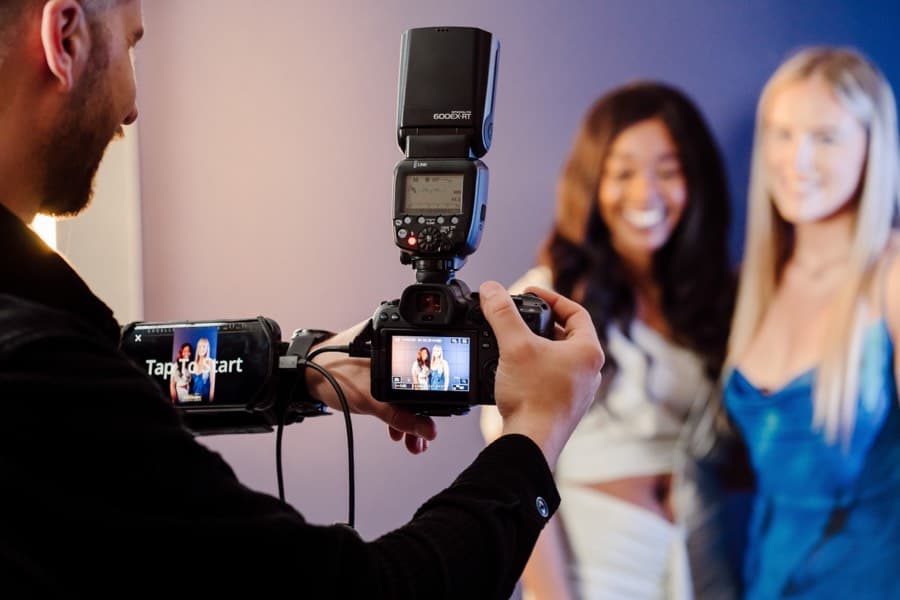
Roaming photography
Photographers move through an event and capture guests away from a fixed booth.
Which setup is right for you?
| If you want | Best setup | Learn more |
|---|---|---|
| Fast setup and classic photo, GIF, and burst capture | iPad photo booth | Supported devices |
| The highest photo quality from a professional camera | DSLR or mirrorless booth | DSLR booths |
| Slow-motion social video guests share immediately | 360 video booth | 360 booths |
| Cinematic slow-motion for premium events and activations | Robot arm / Glambot | VideoFX |
| Coverage across the whole venue, away from a fixed booth | Roaming photography | Photography |
Still weighing your options? Compare the best photo booth appsCompare professional photo booth software
Premium experiences
Create experiences clients will pay more for
AI-FX

AI-FX creates a new AI-generated image from a guest’s photo using a pre-built effect or a custom prompt. One capture can become a themed activation, a fantasy transformation, or a professional concept.
AI-FX requires an internet connection, uses credits, and is available on selected plans. Results can vary, so every effect should be tested before event day.








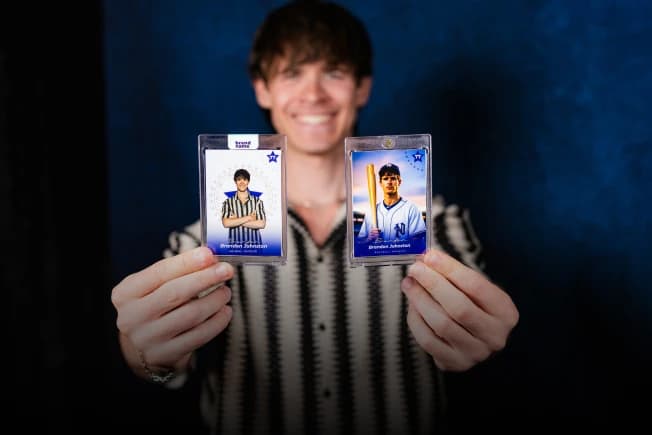
Trading cards and branded formats
Give clients more than a standard photo layout with custom experiences such as trading cards, magazine covers, branded headshots, GIFs, and campaign-specific content.
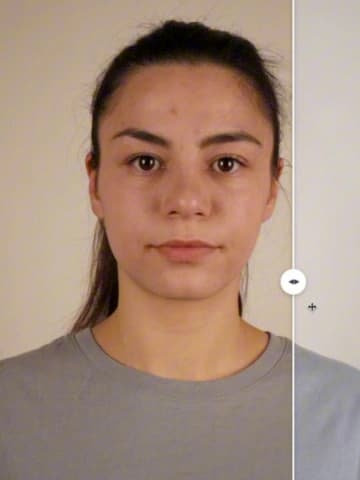
AI touch-ups and photo enhancements
Apply subtle, photographer-style improvements such as skin smoothing and teeth whitening while keeping the original photo recognizable. These enhancements are separate from the dramatic transformations created by AI-FX.
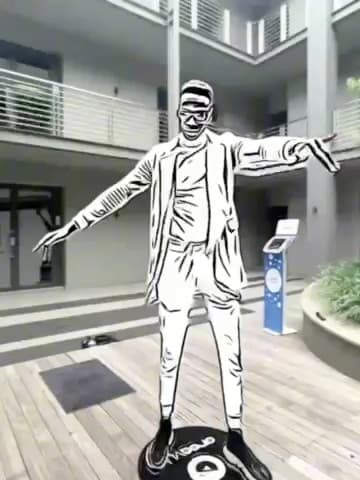
VideoFX
Create branded video experiences for 360 booths, robot arms, Glambots, and classic video booths. Templates can combine slow motion, transitions, overlays, effects, and music into a finished clip.
Event templates
Set up faster with reusable event templates
Event Templates give you a ready-made starting point for common event types and workflows. Choose a template, adjust the branding and event settings, and launch it from the Snappic app.
You can also save your own completed events as reusable templates. This makes it easier to repeat a proven workflow across weddings, corporate activations, permanent installations, or multiple booths without rebuilding every setting.
How to run your first Snappic event
- 01
Choose an Event Template in the Snappic dashboard.
- 02
Customize the branding, capture modes, sharing, printing, and event settings.
- 03
Download the Snappic app on a supported device.
- 04
Log in, select the event, and test the complete guest journey.
- 05
Launch the event when you are ready.
Sharing and delivery
Give guests more ways to receive their content
Guests receive their content and can choose where they share it. Snappic does not post directly to a guest’s Instagram, Facebook, or other social account.
- SMS
- A unique on-screen QR code
- AirDrop where supported
- A branded online gallery or microsite
- A separate sharing station

Reliability
What works without internet?
Venue internet is never guaranteed, so Snappic separates local capture from online delivery.
| Capability | Without internet | Notes |
|---|---|---|
| Photo, GIF, burst, and video capture | Keeps working | The booth keeps capturing sessions on the device. |
| Printing over direct USB | Keeps working | No network is involved in printing at all; AirPrint and the Print Server use their own local connections. |
| Local Sharing Station Sync | Keeps working | Moves sessions between nearby Snappic devices over Bluetooth and Wi-Fi, with both devices running the same event. |
| SMS, email, and gallery delivery | Queued | Online delivery completes automatically when the required connection is available. |
| AI-FX | Needs internet | Results are generated in the cloud and use credits. |
| LiveConnect remote event controls | Needs internet | Remote controls require an active connection. |
Test the complete offline and reconnection workflow before every event. Read the Local Sharing Station Sync guide · Direct USB printing guide
Printing
Print on-site from your event setup
Snappic supports on-site printing through direct USB, the Snappic Print Server, AirPrint, and supported third-party setups — the setup can be as light as an iPad and a printer.
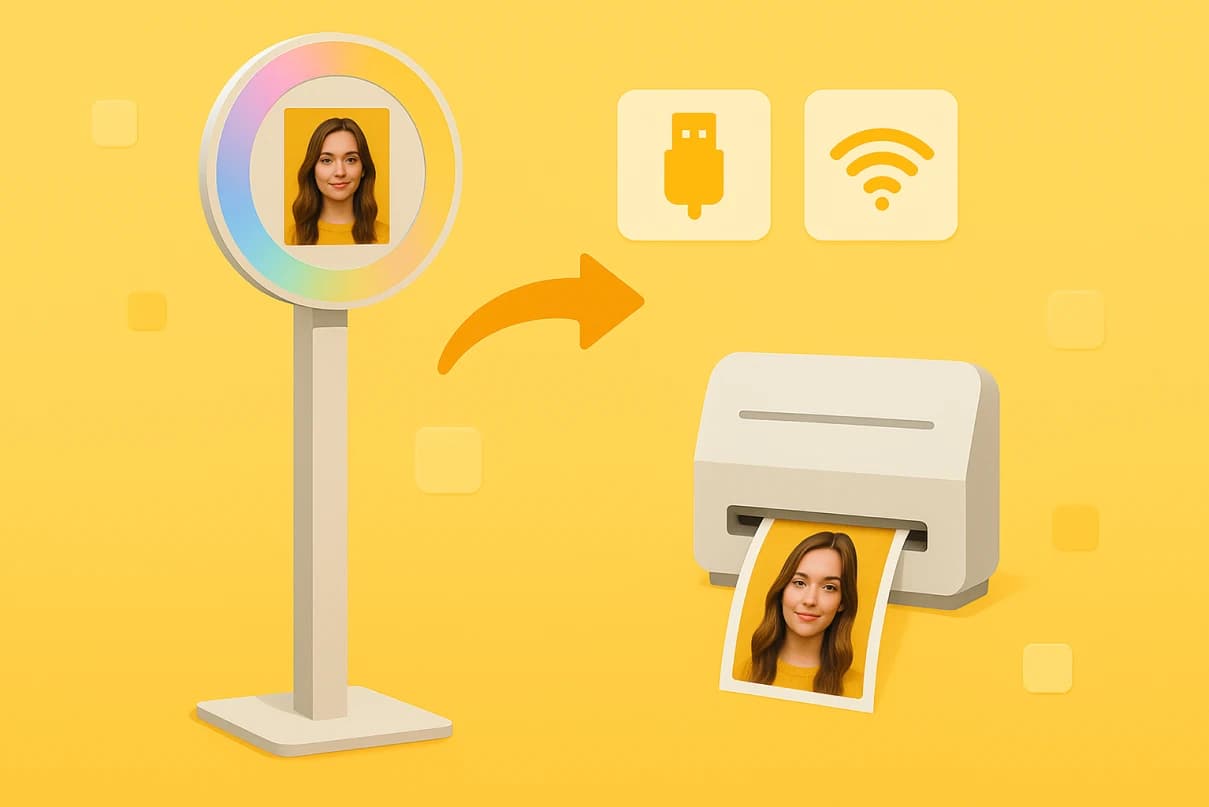
- Direct USB printingNew
Connect a supported printer straight to the iPad with one cable, with no laptop or print server in the setup. Setup guide
- Snappic Print Server
Run prints through a Windows 10/11 or macOS machine on the same network. Setup guide
- AirPrint
Print wirelessly to compatible AirPrint hardware. Setup guide
- Third-party print servers
Selected third-party print-server setups are also supported.
The app supports common event outputs such as 4×6 prints and 2×6 photo strips when the connected printing equipment is configured for those sizes.
Always test the exact device, printer, paper size, template dimensions, and connection method before a live event.
Event management
Manage the event beyond the booth
Depending on your plan and configuration, Snappic can help you manage:
- Custom overlays, frames, attract screens, buttons, and video templates
- Brandable emails, text messages, galleries, and microsites
- Surveys, consent wording, and guest data collection
- Event analytics and client reporting
- Moderation before content appears publicly
- Remote event controls through LiveConnect
- Event codes for faster event launches
- Webhooks for connected workflows
- Multiple clients, sub-accounts, and booth licenses for larger teams
Feature availability and included allowances vary by plan. Check the current pricing table before choosing a package.
Compatibility
Supported devices and cameras
Use this summary to shortlist your setup, then check the live compatibility guide before purchasing equipment.
Booth types and cameras
| Booth type | Runs on | Cameras | Guide |
|---|---|---|---|
| iPad photo booth | iPad Air 2 or later; iPad Pro 9.7-inch or later recommended | iPad camera, or a compatible Canon, Nikon, or Sony camera by USB | Supported devices |
| iPhone booth | iPhone 7 or later; iPhone 8 or later recommended | iPhone camera | Supported devices |
| DSLR / mirrorless booth | Supported iPhone or iPad, connected by USB | Canon EOS R, EOS M, and DSLR models; Nikon D- and Z-series; Sony Alpha, ZV, and RX (photo only) | Camera compatibility |
| 360 video booth | iPad Pro 11-inch (2020) or later, or iPhone 11 or later | Device camera, or GoPro Hero 9–13 | GoPro connection |
Mirror, robot-arm, and roaming setups run on the same supported iOS devices — check the live compatibility guides for camera options per workflow.
Hardware requirements
| Setup | Supported or recommended hardware | Important notes |
|---|---|---|
| iPad photo booth | iPad Air 2 or later supported; iPad Pro 9.7-inch or later recommended | Use the latest compatible iOS and Snappic versions |
| iPhone booth | iPhone 7 or later supported; iPhone 8 or later recommended | Camera and processing performance vary by model |
| Video or 360 booth | iPad Pro 11-inch (2020) or later, or iPhone 11 or later recommended | Allow at least 128GB storage where possible and keep sufficient free space for large video files |
| Mac | Mac with Apple silicon, including M-series chips | Confirm the workflow and peripheral compatibility before the event |
| Canon cameras | Supported EOS R, EOS M, and DSLR models | Some cameras have limited functionality; check the live model list |
| Nikon cameras | Most supported D-series DSLR and Z-series mirrorless models | Several older models are explicitly unsupported; check the live list |
| Sony cameras | Selected Alpha, ZV, and RX models | Photo capture only at present; Sony video capture is not supported through iOS |
| GoPro | Hero 9, 10, 11, 12, and 13 | Hero 9 is wireless-only. Wired connection is recommended on newer supported models for stability and internet access |
Compatibility notice
Hardware support changes as cameras, iOS, and the Snappic app are updated. Confirm your exact model in the current Snappic Help Center compatibility list before buying or deploying equipment.
Compatibility data last verified .
View the supported-device guideView the camera compatibility listDSLR camera connectionGoPro camera connection
Pricing
Photo booth software that grows with your business
Snappic supports operators at different stages — from a first paid event to teams running overlapping events, multiple clients, and permanent installations.
14-day free trial. No credit card required. Current prices and feature availability are shown on the Snappic pricing page.
Entry price
$29per 48-hour event
Monthly and annual packages are also available. Each event requires a license, and overlapping events require the appropriate additional licenses.
What scales with the plan
Starter covers core still, GIF, burst, sharing, printing, templates, photo enhancements, and supported camera integration.
Higher packages add advanced experiences and business controls such as AI-FX, VideoFX, 360 workflows, roaming, branded microsites, surveys, analytics, white-label features, SmartShare, webhooks, and multi-client management.
Why operators choose Snappic
More booth types, one familiar platform
Build and manage iPad, DSLR, 360, video, robot arm, mirror, and roaming experiences without learning a different platform for each service you add.
Event-ready workflows
Prepare the complete experience before event day — from the capture screen and overlay to delivery, printing, and reporting.
Room to charge more
Offer premium additions such as AI-FX, VideoFX, trading cards, branded galleries, surveys, and campaign reporting when the client needs more than a standard booth.
Help when an event cannot wait
Snappic provides 24/7 support for operators working across time zones and event schedules.
FAQ
Frequently asked questions
What is the best photo booth app for professional events?
The best app depends on the booth type, camera, printing requirements, internet conditions, and number of events you run. Snappic is designed for professional operators who want to manage multiple experience types — including iPad, DSLR, 360, video, robot arm, mirror, and roaming workflows — from one platform.
What is a photo booth app used for?
A photo booth app runs a self-service photo booth at events: it captures photos, GIFs, and video, applies branded overlays and AI effects, and delivers the content by text, email, QR code, print, or gallery. Professional operators use one app, like Snappic, to run iPad, DSLR, 360, mirror, robot-arm, and roaming setups from the same platform.
Does Apple's Photo Booth app still exist?
Yes — Photo Booth still ships as a built-in consumer camera app on Macs and iPads, and it is unrelated to Snappic. Snappic is professional event software: operators use it to run paid photo booth services with branded capture, guest sharing, on-site printing, data collection, and client reporting across iPad, DSLR, 360, mirror, robot-arm, and roaming setups.
Does Snappic work on iPad?
Yes. Snappic supports iPad Air 2 and later, with iPad Pro 9.7-inch and later recommended for photo booths. For video and 360 booths, Snappic recommends an iPad Pro 11-inch from 2020 or later. Always check the current supported-device guide before purchasing hardware.
Can I connect a DSLR or mirrorless camera to Snappic?
Yes. Supported Canon, Nikon, and Sony cameras can connect directly to a compatible iPhone or iPad by USB. Compatibility and capture modes vary by camera. Sony cameras currently support photo capture but not video capture through iOS.
Does Snappic work with GoPro cameras?
Snappic supports GoPro Hero 9 through Hero 13. Hero 9 works wirelessly only; supported newer models can use wired or wireless connections. A wired connection is recommended because it improves stability and keeps Wi-Fi available for internet access.
What equipment do you need to run a photo booth with Snappic?
A supported iPhone, iPad, or Apple-silicon Mac to run the Snappic app, plus booth hardware such as a stand, enclosure, or 360 spinner. Depending on the experience, you can add a compatible Canon, Nikon, Sony, or GoPro camera, and a printer connected by direct USB, the Snappic Print Server, or AirPrint. Check the live compatibility guides before purchasing equipment.
How do you turn your phone into a photo booth?
Install a photo booth app on a supported iPhone — Snappic supports iPhone 7 or later, with iPhone 8 or later recommended — then mount the phone in a stand, enclosure, or 360 spinner and add lighting. Build the event in the Snappic dashboard, log in on the phone, and the app handles capture, branded overlays, sharing, and printing.
Can Snappic run without internet?
Core capture can continue when internet access is interrupted, and Local Sharing Station Sync can transfer sessions between nearby devices without internet. Features that depend on cloud processing or online delivery — including AI-FX and immediate online sharing — require a connection. Test the complete offline and reconnection workflow before every event.
Can guests receive photos by text, email, or QR code?
Yes. Guests can receive content through SMS, email, a unique QR code, supported AirDrop workflows, or a gallery. Upload and delivery speed depend on the venue's connection.
Can Snappic print photos at an event?
Yes. Snappic supports wired and wireless printing through the Snappic Print Server, compatible AirPrint hardware, and selected third-party print-server setups. Test your printer, paper sizes, template dimensions, and connection before the event.
Does Snappic support 360 photo booths?
Yes. Snappic's VideoFX tools support 360 video workflows, including slow motion, effects, transitions, and branded templates. Compatible GoPro cameras can be connected to supported iOS devices.
What is the difference between AI-FX and photo enhancements?
AI-FX creates a new AI-generated result using a preset effect or custom prompt. Photo enhancements make subtler changes such as skin smoothing or teeth whitening while preserving the original photo. AI-FX requires internet access, credits, and an eligible plan.
Is there a free photo booth app?
Consumer camera apps are free, but professional photo booth apps are paid products because they carry the branded overlays, sharing, printing, data collection, and support that paid events require. Snappic offers a 14-day free trial with no credit card required, and event pricing starts at $29 for a 48-hour license, so you can test everything before charging a client.
How much does Snappic cost?
Snappic plans start at $29 for a 48-hour event. Monthly and annual packages are available for operators running events more frequently. Visit the pricing page for current package prices, included licenses, add-ons, and feature availability.
Is there a free trial?
Yes. Snappic offers a 14-day free trial without a credit card.
Build your next event with Snappic
Choose an Event Template, customize the experience, and test your first event before the booking goes live.
No credit card required.