The print server
is history.
Plug your DNP printer straight into your iPad and print. One cable. No extra hardware. No mid-event mysteries.
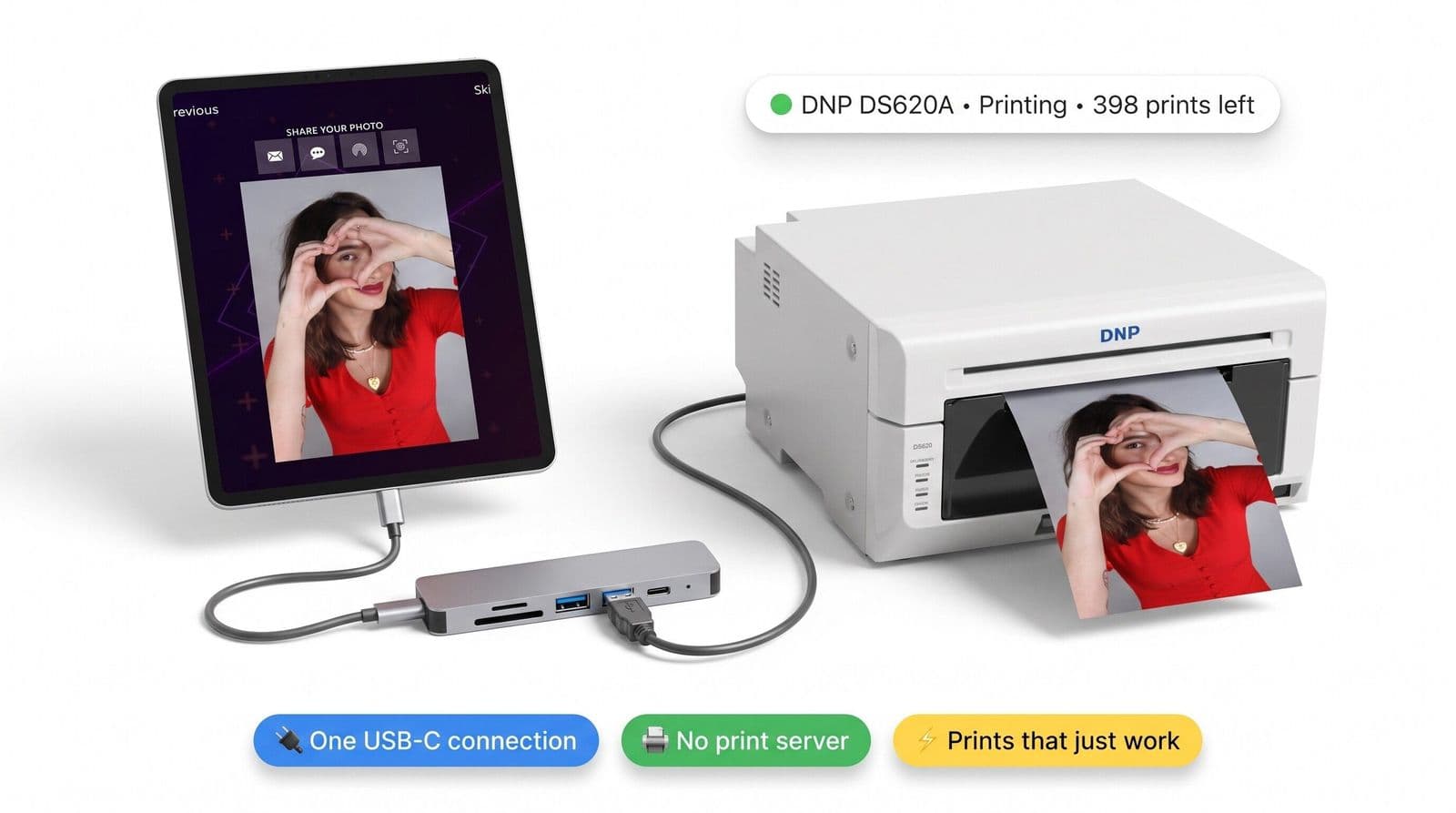
One less device to babysit
Your print server did one job: pass photos to the printer. Now the iPad does that itself.
The old way
Extra device to buy, power, update and troubleshoot at 11pm on a Saturday.
The new way
Straight in. Fewer failure points, faster setup, more reliable events.
Direct printing+a whole new printing engine
Direct USB printing is the headline — and every one of these ships right alongside it, free in the same update.
Run a whole fleet from one iPad
Add as many printers as you like — even the same printer twice with different settings, like "Strips (matte)" and "6×4 (glossy)". Save a setup once and reuse it at every event.
Smart routing
Strips go to the strips printer, 6×4s to the 6×4. Every template lands on the right machine, automatically.
Live print queue
Watch every job move from queued to done. Cancel or retry — one at a time or all at once.
Live printer status
Loaded media, prints remaining and printer health, right in the app.
Per-printer settings
Matte or glossy, margins, quality, strips per sheet — tuned separately for each printer.
2-up 4×6
Print two 4×6s per sheet, with sizes matched to your media — no surprises.
Test Print
One tap prints a calibration card, so margins are perfect before doors open.
Batch printing
Select a stack of photos and print them all in one go.
All-new printer screen
A rebuilt Printers list makes adding and managing printers dead simple.
Direct USB printing needs an iPad with an M-series (or newer A-class) chip on iPadOS 16+, connected over USB-C. Validated on the DNP DS620A — the DS820A, QW410, DS40 and DS-RX1 speak the same protocol and are supported as untested. AirPrint and print-server setups keep working too.
Be first in line
Early access is rolling out to a small group of operators. Drop your details and we'll save you a spot.
No spam — just a heads-up when your access is ready.