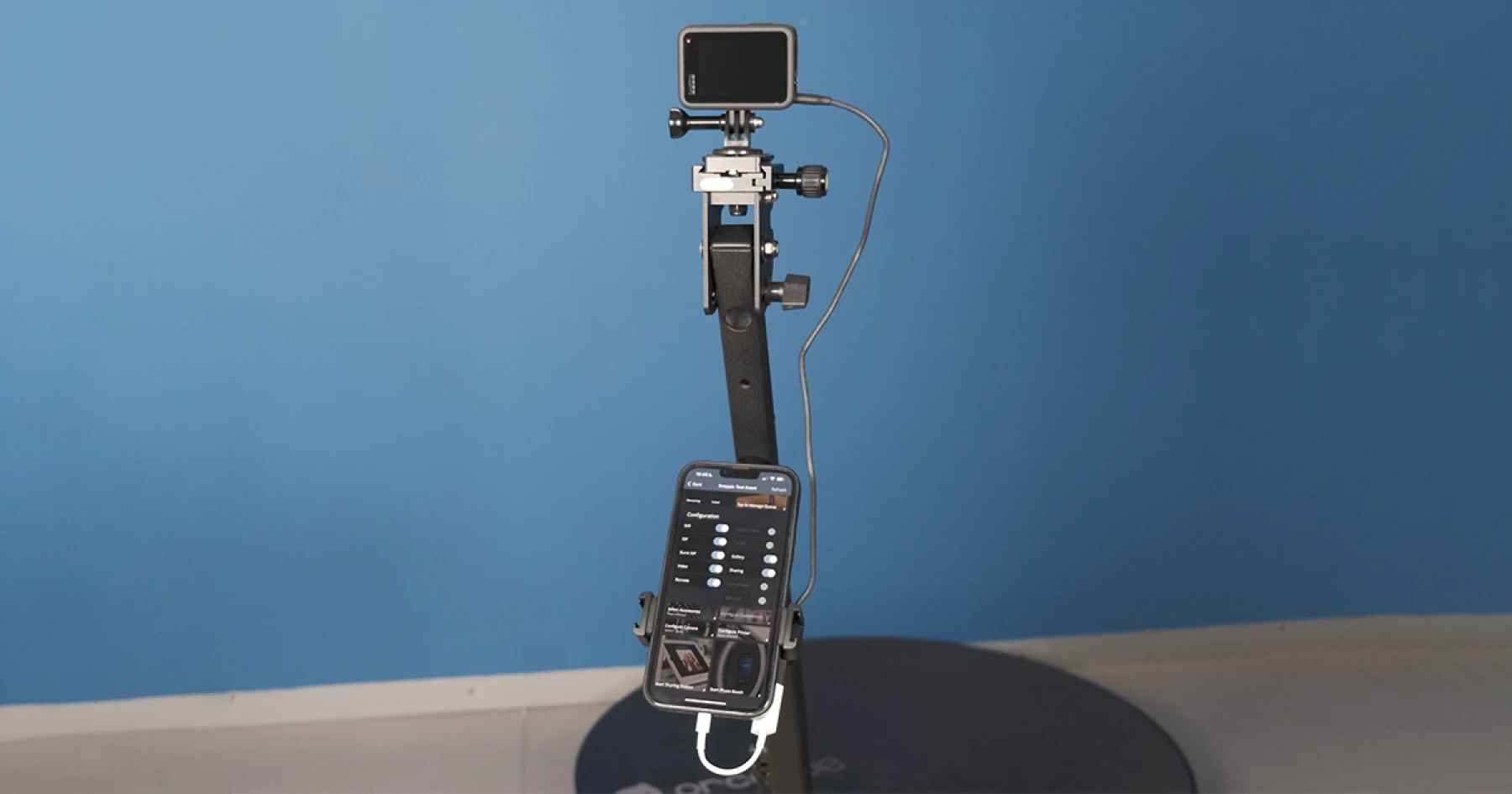
GoPro and Snappic: Next-Level 360 Booth Experiences
Unlock next-level 360 GoPro Photo booth experiences with Snappic. See how this powerful integration boosts quality, speed, and client wow-factor.

May 18, 2023
The Snappic team is passionate about creating unforgettable photo booth experiences.
GoPro and Snappic: A Powerful Duo for Next-Level 360 Booth Experiences
When it comes to immortalizing the magic of special events, photo booths and 360 video booths have emerged as an indispensable tool. And now, to turbocharge this experience and create unforgettable memories, Snappic has joined forces with the game-changing GoPro action camera.This GoPro integration, the third most requested feature by Snappic users, is one of the most thrilling releases of 2023. In this blog post, we dive deep into why the GoPro camera is a transformative addition to the world of photo booths, and how to supercharge its capabilities using Snappic.
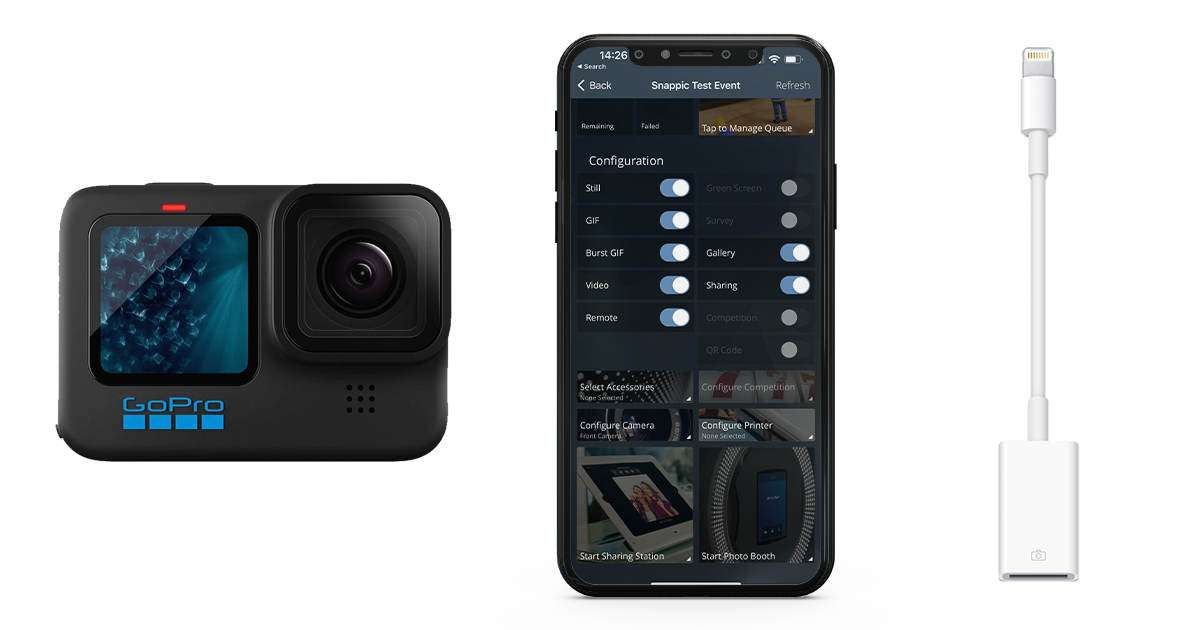
Integrating GoPro with Snappic: What You Need to Know
The Snappic app now allows seamless connection with a GoPro camera, whether through wired or wireless methods. However, for optimal performance, we recommend a wired connection for better stability, faster transfer rates, and simpler internet accessibility.Your tech checklist includes:
- Snappic app (version 1.27.0 or greater).
- iOS 13.0 or greater on your iPhone (recommended) or iPad.
- A GoPro camera (Hero 9 model or newer, with Hero 10 and Hero 11 models supporting both wired and wireless connections).
For a wired connection, you may need an adapter for your iOS device. For details on the adapter and maintaining your device charge during use, reference this article. .
Connecting Your GoPro to the Snappic App: A Step-by-Step Guide
To enhance your photo booth experiences with the GoPro-Snappic duo, follow these steps for a seamless connection:
- Prepare the GoPro for Connection: If you haven't previously paired your device with the GoPro or are facing connection errors, put the GoPro into pairing mode. The process varies slightly for each GoPro model, so refer to this link for specific instructions.
- Establish a Wired Connection (If Applicable): If you're opting for a wired connection, you might need an adapter for your iOS device. Check out this article for details on the required adapter and maintaining your device charge during use. Connect the adapter to your iOS device, followed by the appropriate cable to the adapter and GoPro. If no adapter is needed, simply connect a USB-C cable to both your iOS device and GoPro. For wireless connections, proceed to step 3.
- Select Your GoPro Camera in the App: In the Snappic app, select an event and tap on 'Configure Camera Search for GoPro Camera'. A page displaying all nearby GoPro cameras will appear. Ensure your camera is on and nearby, and that Bluetooth is enabled on your iOS device. Select a GoPro camera to connect to it. For wired connections, wait for the app to detect it and ensure the 'Wired Connection' symbol is visible next to the GoPro before selection.
With these easy steps, you're all set to revolutionize your photo booth sessions using the power-packed combination of Snappic and GoPro. Enjoy capturing every angle, every moment, and every emotion in stunning quality!
The Unbeatable Perks of Pairing GoPro with Snappic
Effortless Integration
The GoPro camera, known for its versatility and dependability, is a fan favorite among photo booth enthusiasts. Snappic's integration with GoPro simplifies the photo booth process by providing effortless access to settings, capture triggers, and footage, ultimately improving the overall user experience.
Whether you opt for a wired or wireless connection, integrating your GoPro with Snappic is a piece of cake.
Immersive 360 Video Booth Experience
The GoPro isn’t just a top-notch photo device – it’s a video recording powerhouse. The surging popularity of 360 booths made GoPro integration a must-have feature. The compact, lightweight GoPro encourages creative 360 or video booth setups, and when teamed up with Snappic, it can significantly elevate your video quality.
Capture Every Angle
Say goodbye to missing out on moments with GoPro's wide-angle lens. With Snappic's innovative VideoFX features combined with GoPro's expansive view, your photo booth sessions become immersive and engaging experiences.GoPro’s wide-angle lens is perfect for group shots at weddings, proms, office parties, and birthdays. It captures breathtaking 360 booth footage, ensuring everyone fits into the frame.
Unleash the Action and Creativity
With Snappic, your photo booth becomes a canvas for endless creativity. The GoPro, designed for adventure, brings a fresh dose of energy and excitement to your photo booth sessions.Whether your guests are dancing, jumping, or striking a creative pose, the GoPro's robust build can capture it all. Combine the GoPro with our amazing selection of effects, including slow-motion, speeding it up, reverse, AI segmentation, and more. This winning combination is sure to lead to endless creative possibilities.In an ever-evolving digital world, the integration of GoPro and Snappic is set to revolutionize your photo booth and 360 booth experiences. With GoPro's high-quality imaging and Snappic's innovative, user-friendly platform, capturing and sharing unforgettable moments has never been easier or more enjoyable.Remember, help is always at hand with our dedicated 24/7 online support team. And the best part? You can test the GoPro-Snappic magic with our free trial. Visit www.snappic.com to start your journey into the future of photo booths today.
More from Melissa
Previous Post
Maximize Success with Snappic's Event Analytics
Unlock data-driven success at photoBooth events with Snappic’s customizable analytics. Track engagement, prove ROI, and win more high-value bookings.
Next Post
Unleashing Creativity with AI Photo Booth Effects
Transform every event with customizable overlays and photo booth templates that boost branding, wow guests, and unlock new revenue for your booth business